Preface
This document describes the approved procedure for replacing the RF (CO₂) Laser Source and Fiber Laser Source on TITAN (PRO) Series machines and for verifying laser beam centering and beam alignment after replacement.
Following these steps ensures safe replacement and proper beam alignment of the RF (CO2) laser source and the Fiber laser source.
⚠️ WARNING – LASER SAFETY
- Always wear laser safety goggles when firing or testing the laser.
- Never fire the laser with protective covers removed unless explicitly instructed.
- Ensure all safety interlocks are active, except when temporarily bypassed for alignment purposes only.
⚠️ ELECTRICAL SAFETY
- Always power off the machine and unplug the power cable before servicing.
- Never disconnect or reconnect cables while the machine is powered.
- Failure to follow these instructions may result in serious injury or equipment damage.
| |
Phillips screwdriver Double-sided Tape Hex Key Wrench Black Alignment Paper Open-End Wrench:13mm x2 | 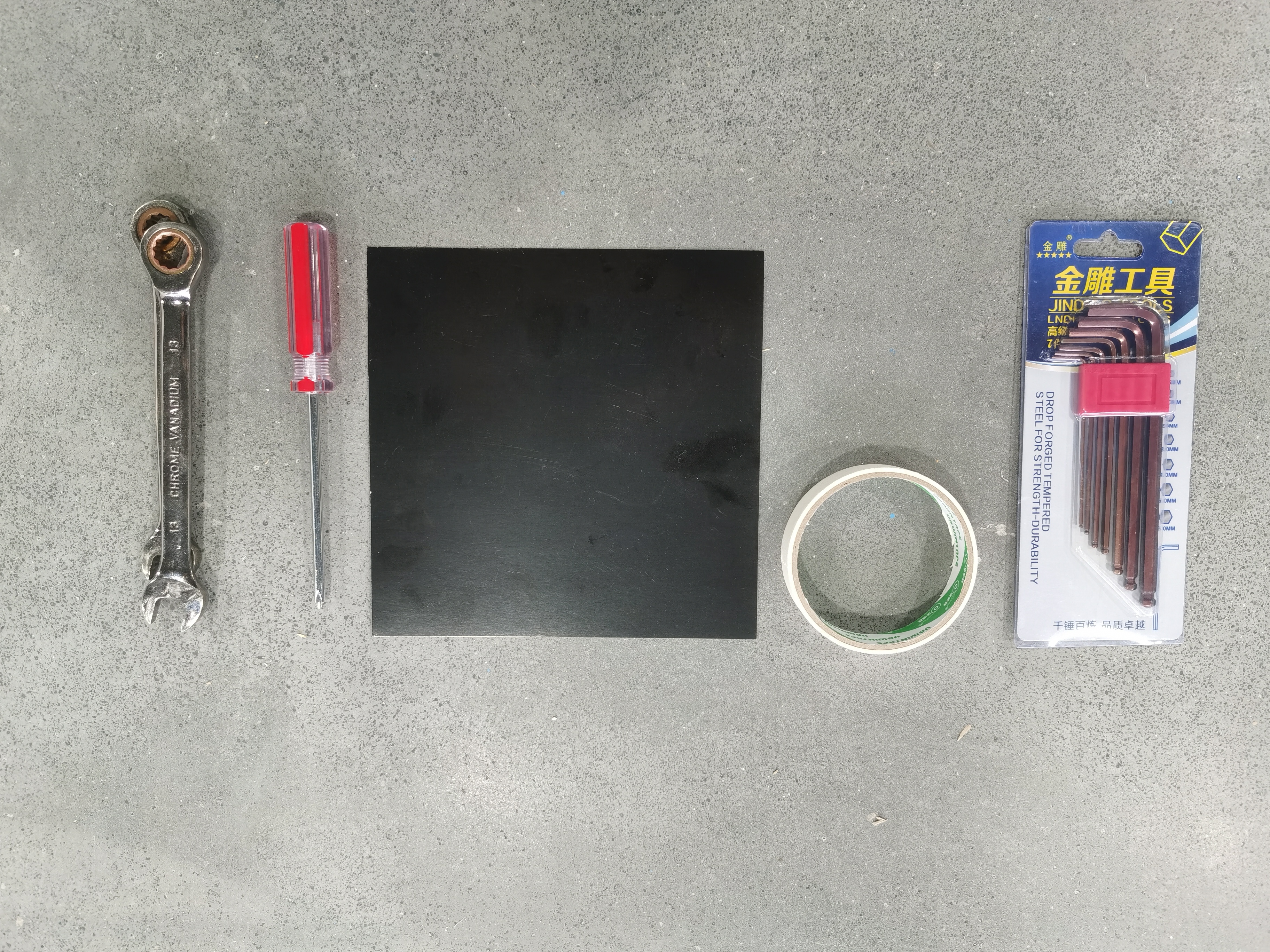
|
10.6 µm Laser Safety Goggle for CO2 laser 1064nm Laser Safety Goggle for fiber laser | 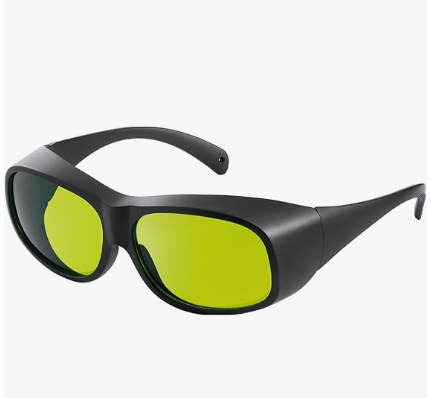
|
Replace the New Fiber Laser
1. Pre-Replacement Preparation
| |
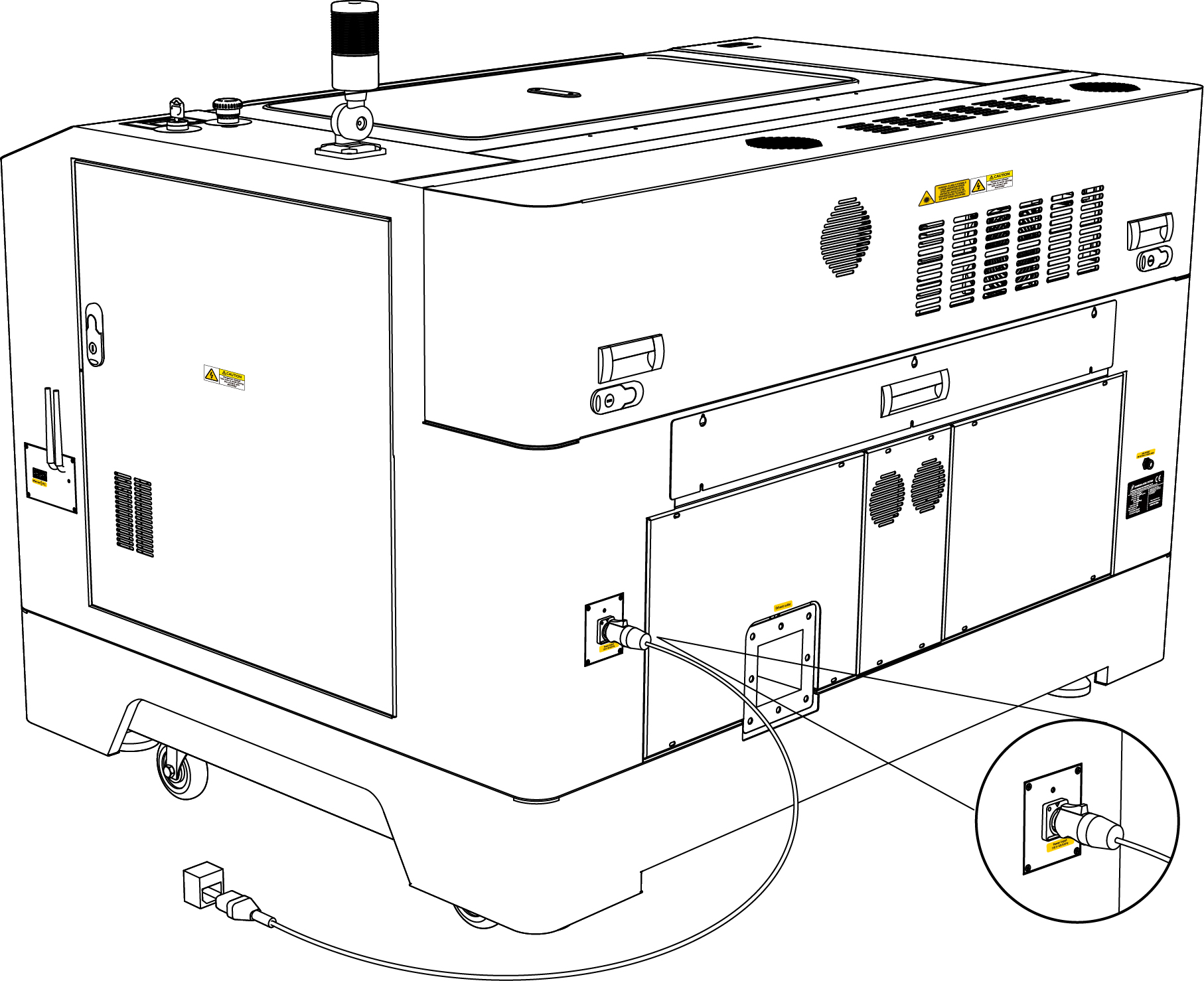
- Turn off the machine and remove the power cable.
| 
|
2. Electrical Disconnection
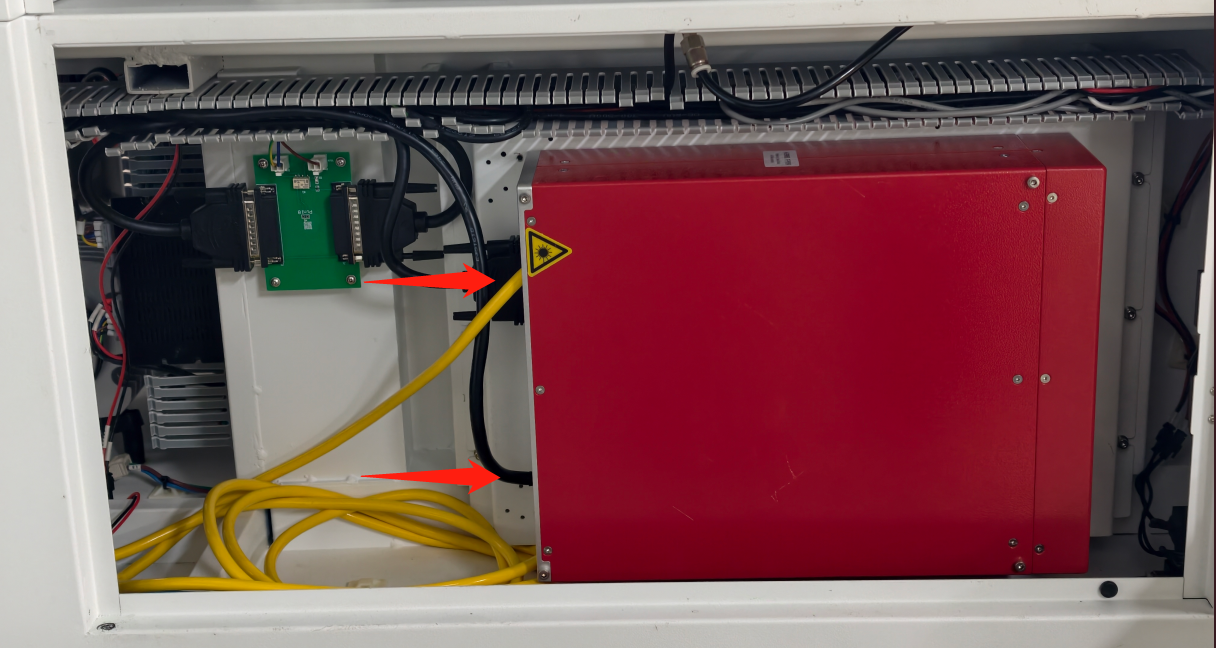
2.1. Remove the signal cable plug and the power cable of the fiber laser.
| |
- Turn off the machine and disconnect the power cable.
- Locate the signal cable and power cable on the left side of the door.
- Disconnect the signal cable connector.
| 
|
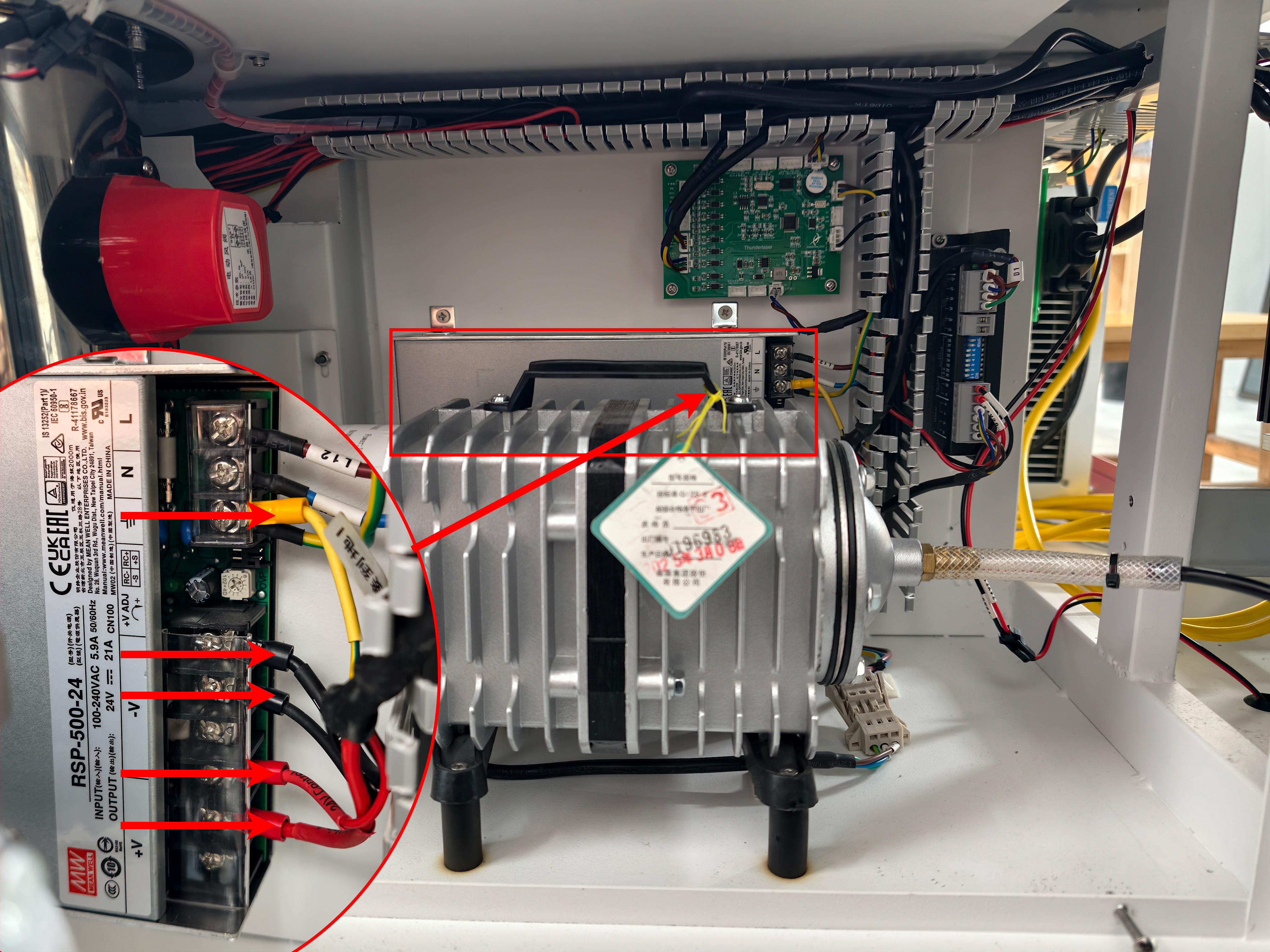
- Follow the cable tray to locate the power supply connected to the power cable, then remove the five terminal connections.
- Place both the signal cable connector and the power cable aside in a safe location.
| 
|
PRO TIP: Take a clear photograph of all cable connections before disassembly to assist with reinstallation.
3. Disassembly Procedure
3.1. Removing the Shutter Cover
| |
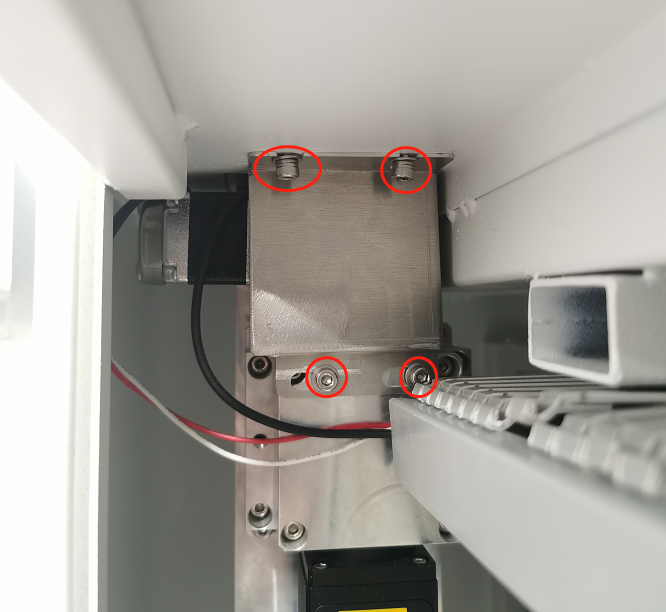
- Open the left-side door.
- Locate the four 3 mm hex screws securing the shutter cover.
- Remove the four screws and place the cover in a safe location.
| 
|
3.2. Old Fiber Laser Head Removal
| |
- Loosen the six 3 mm hex screws in the specified order to release the holder.
- Carefully remove the old laser head from the holder.
- Place the removed laser head in a safe location.
NOTE:
Loosening the screws may cause the laser head to drop. Handle the component carefully and ensure the laser head is supported during removal. | 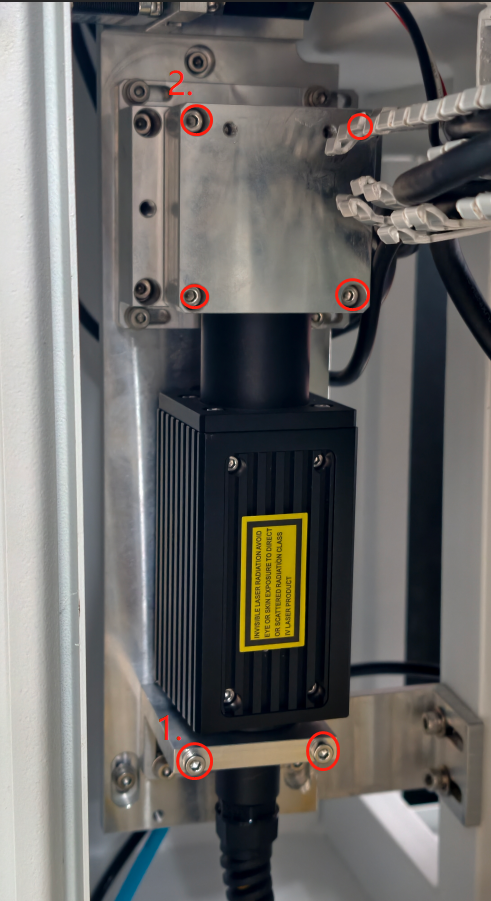
|
3.3. Old Fiber Laser Source Removal
| |
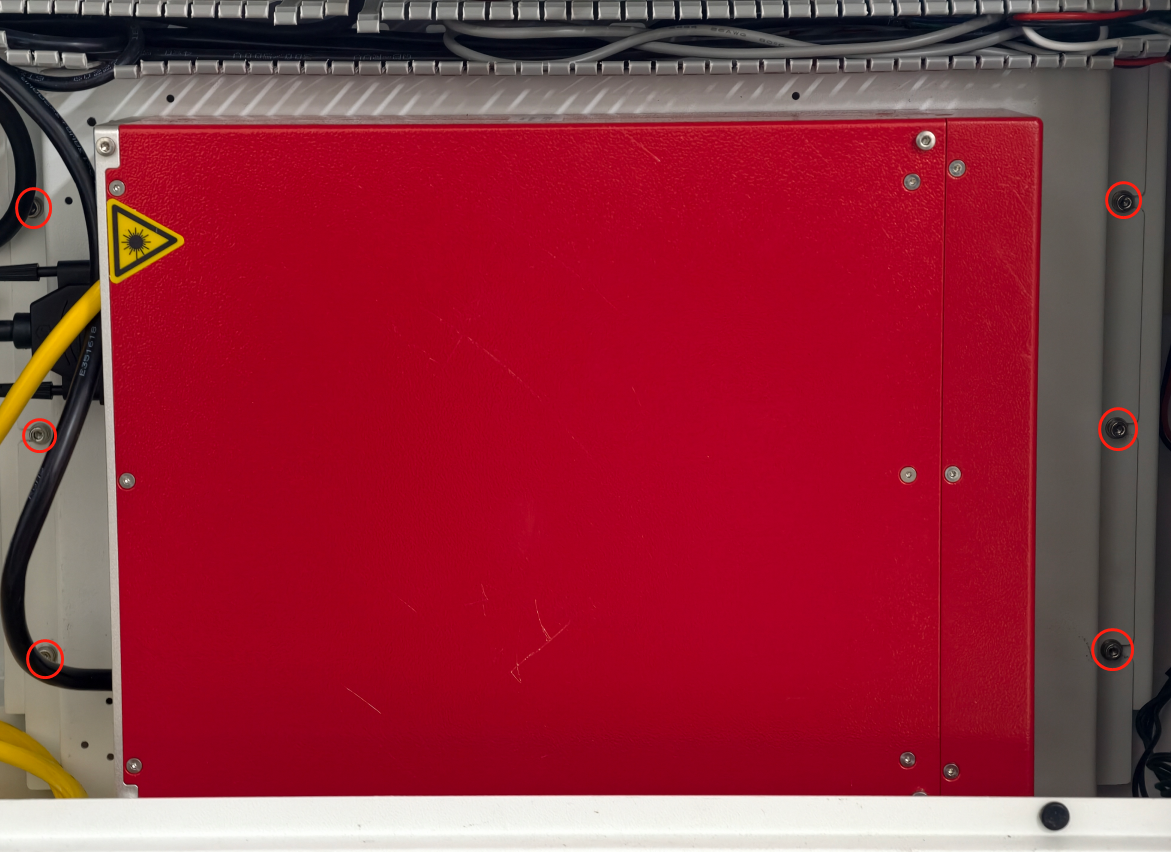
- Loosen the six 3 mm hex screws securing the holder.
- Remove the laser holder and place it in a safe location.
| 
|
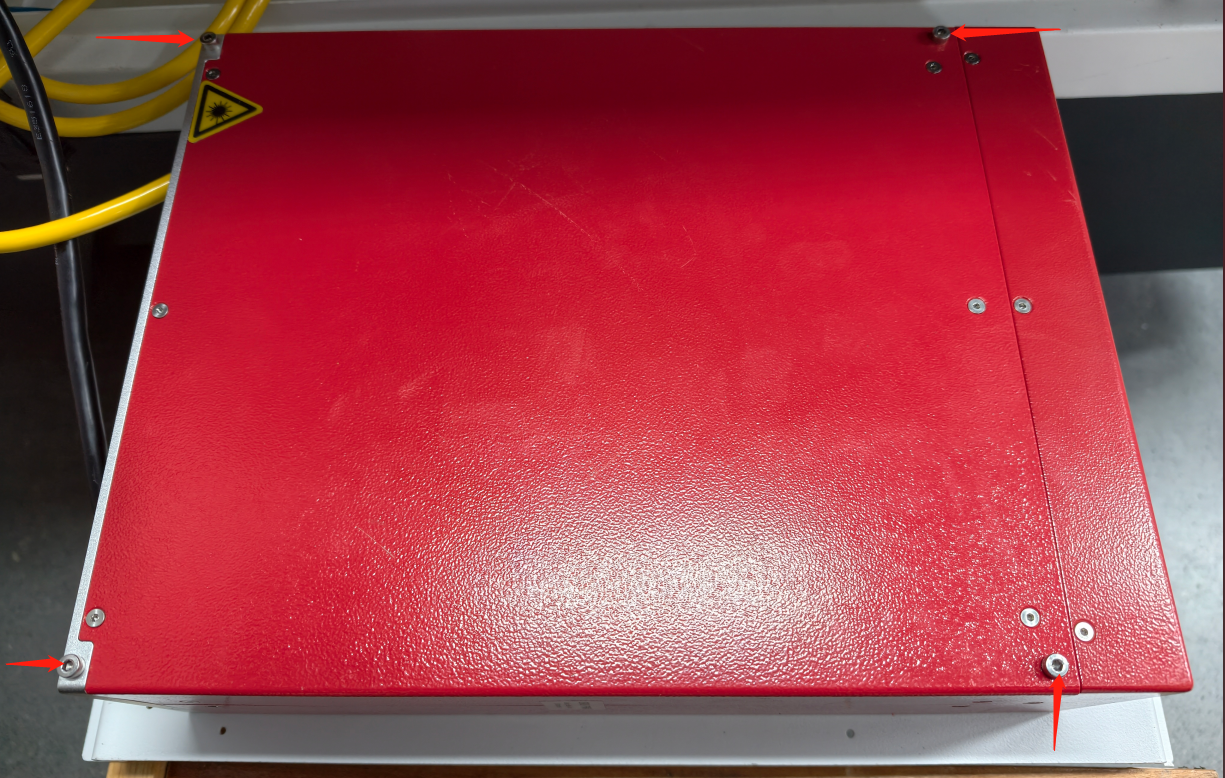
- Loosen the four 3 mm hex screws securing the laser source.
- Remove the old laser source from the holder.
| 
|
4. Reassembly
| |
- Reassemble the components in the exact reverse order of disassembly.
- Do not reinstall the shutter cover yet.
- Install the new fiber laser source into the TITAN machine.
- Reconnect the fiber laser signal cable.
- Reconnect the power cable.
|
|
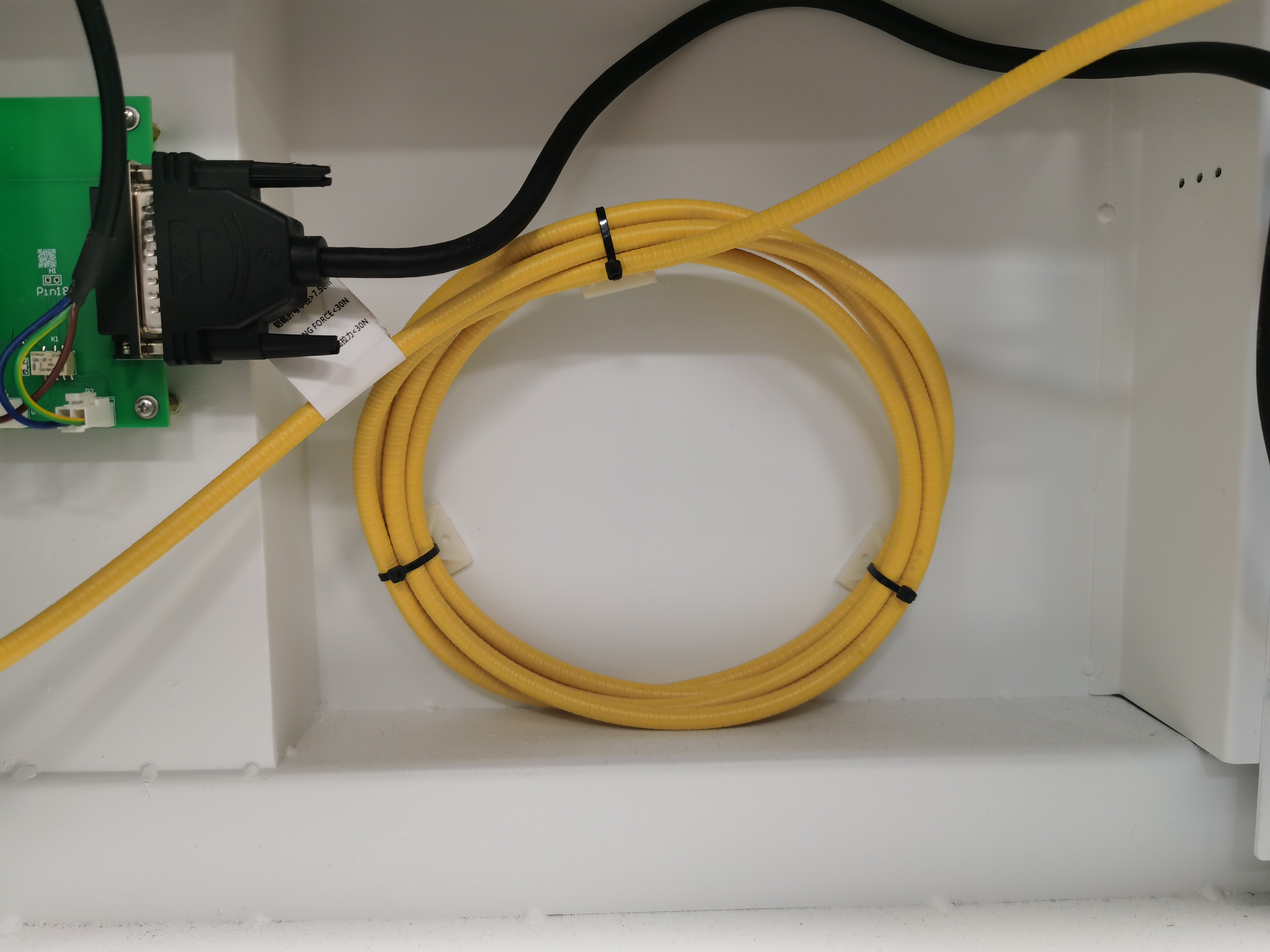
WARNING⚠ Fiber Cable Handling The yellow fiber cable must never be bent at a 90° angle, as this may cause permanent damage. - Always maintain the cable in a smooth circular shape.
- Ensure the minimum bending radius is greater than 150 mm.
| 
|
5. Beam Inspection
5.1. Bypass the Door Protection
| |
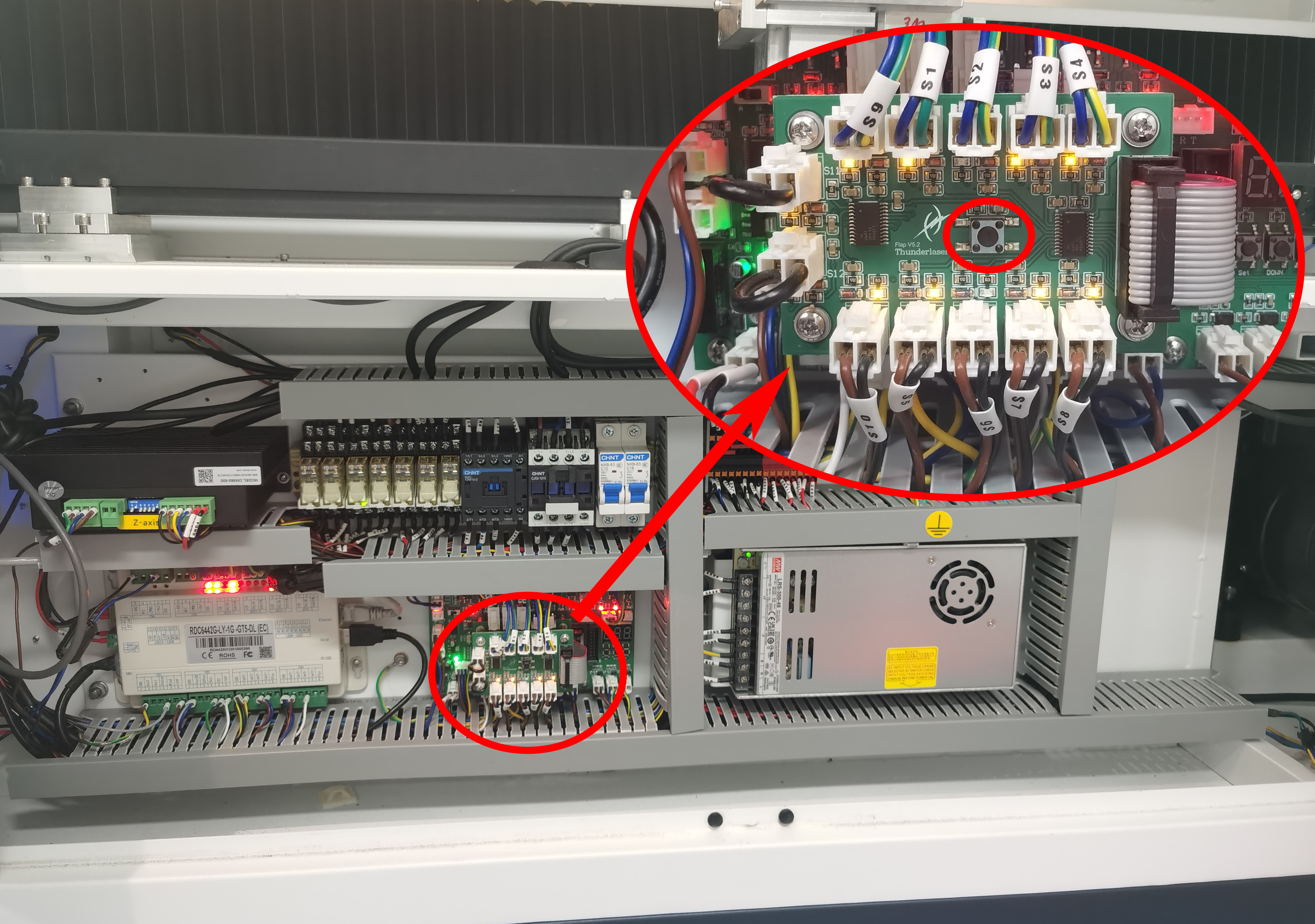
- Open the right side door, click the Maintenance Button to bypass the door protection.
| 
|
| |
- Please wear your fiber optic safety goggles.
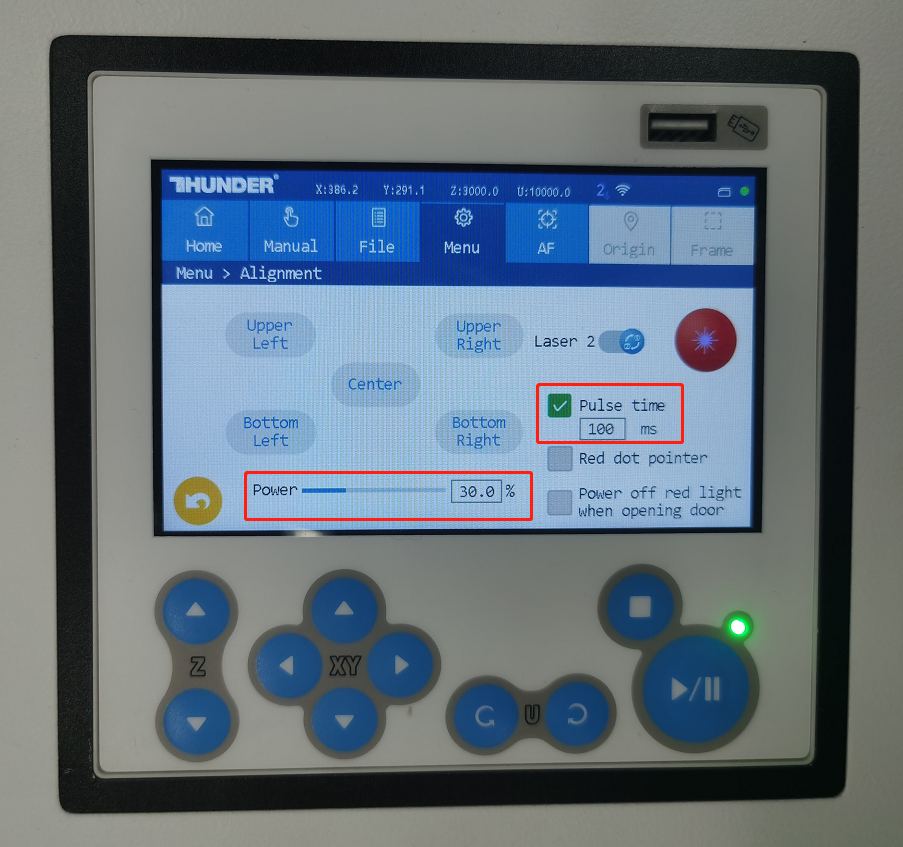
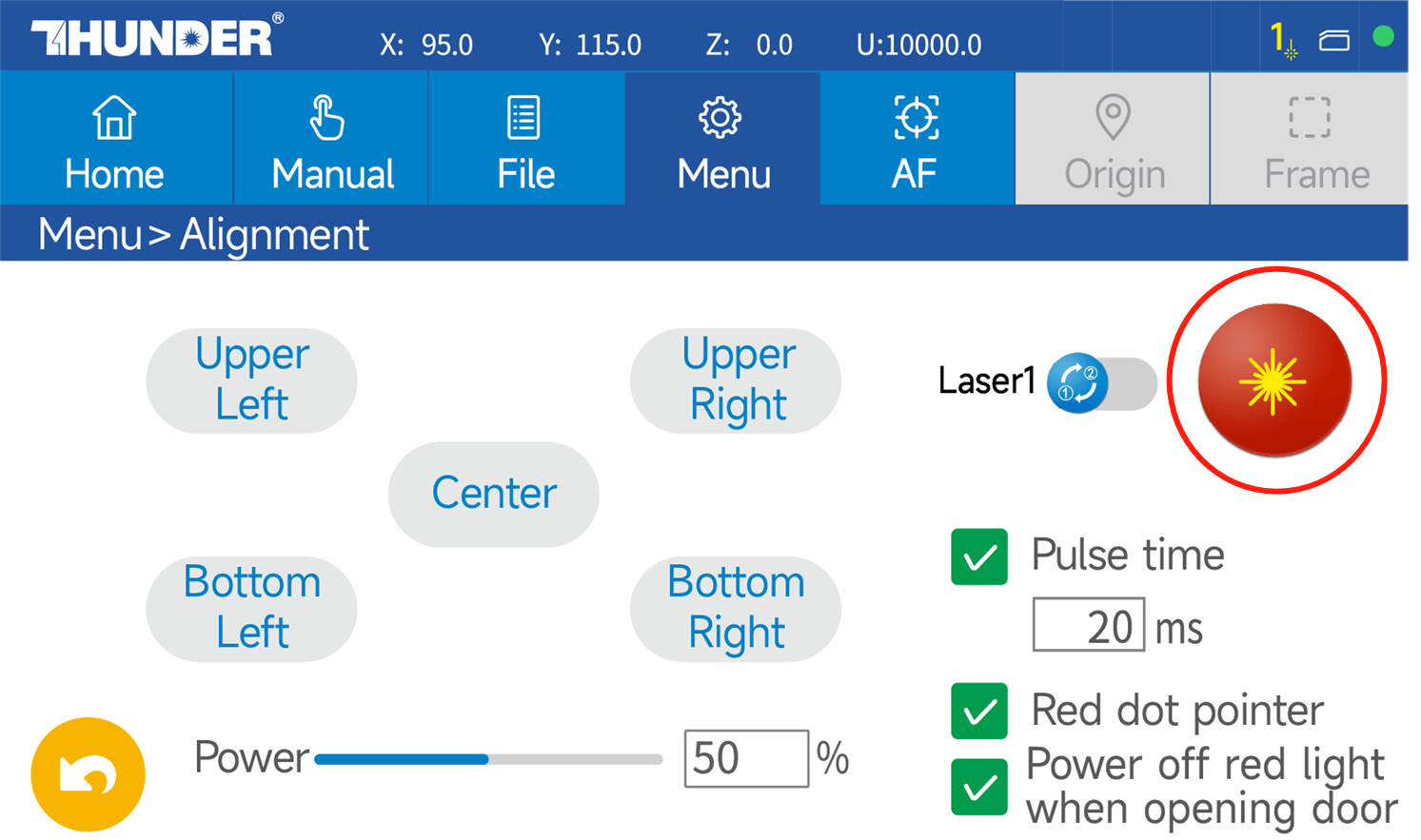
- On the touch panel: Navigate to Menu → Alignment and Set:
- Laser Source: LASER 2
- Power: 30%
- Pulse Time: 100
- Mode: "Pulse Time" only
| 
|
5.3. Execute Test Pulse
| |
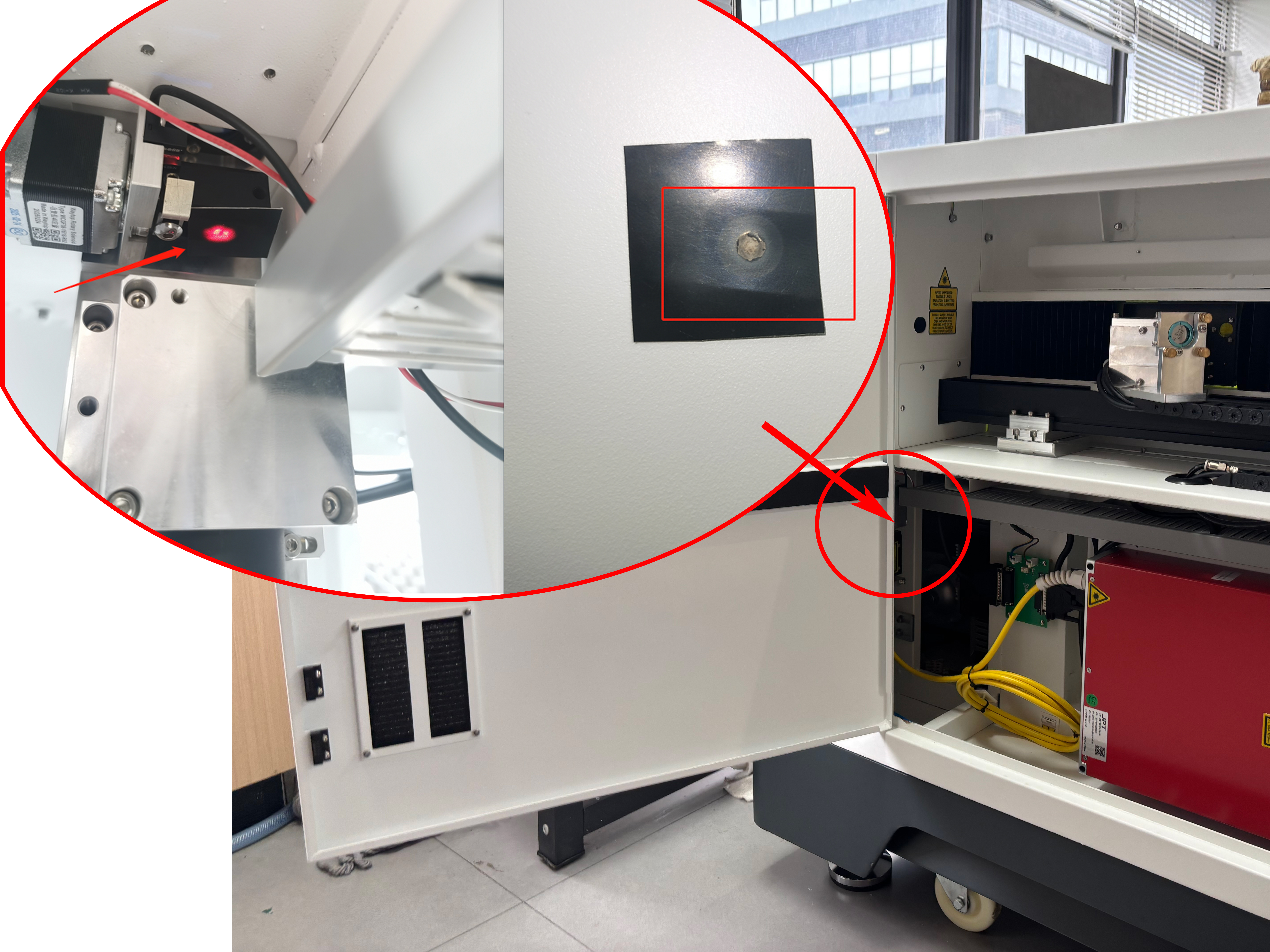
- Attach the beam alignment paper (Black Alignment Paper) with double-sided tape to the fiber laser shutter opening and draw a circle frame (by gently pressing the paper on the shutter).
- Click the Pulse button to emit the beam.
- Observe the burn mark on the alignment tape.
| 
|
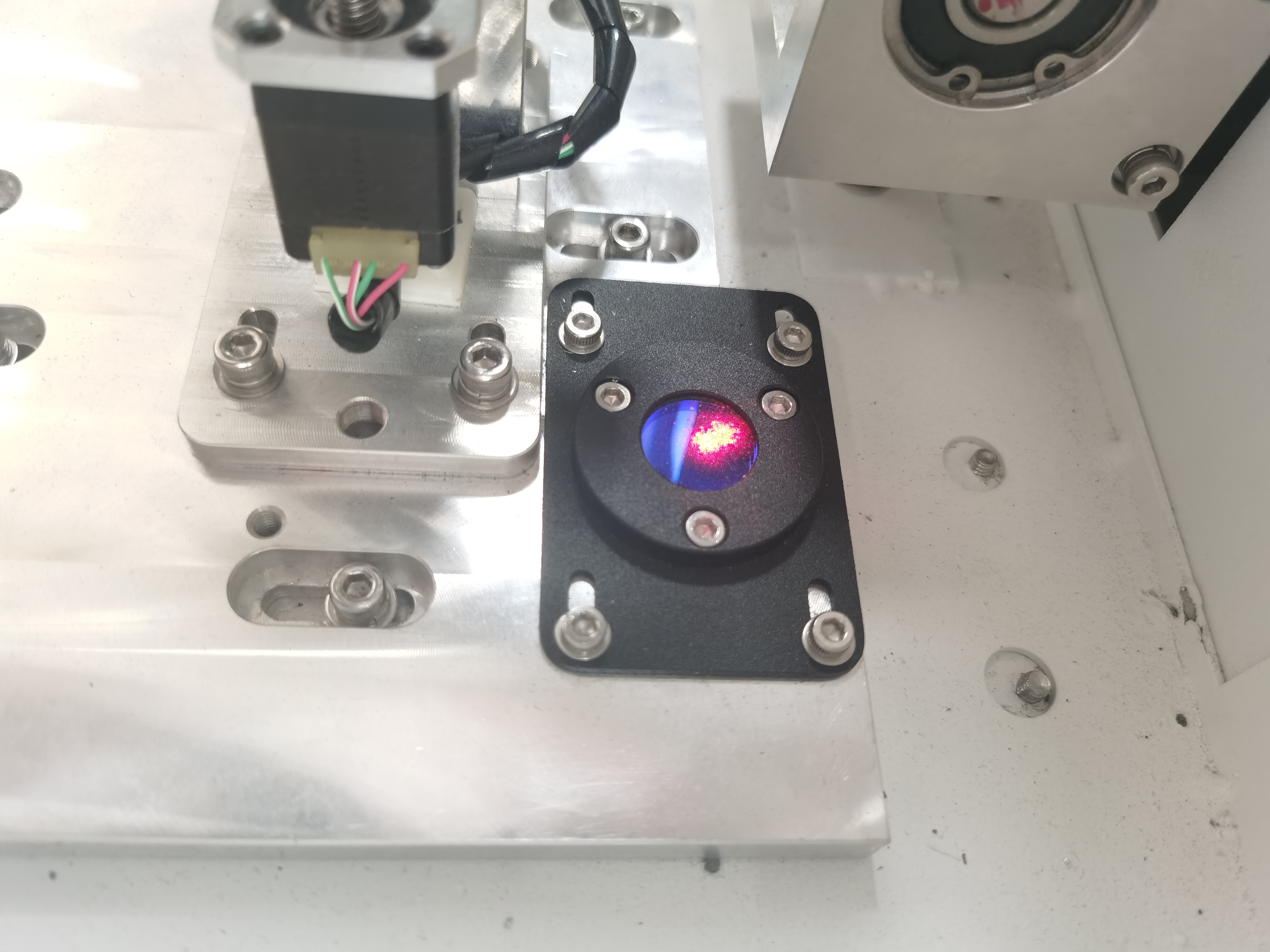
- Check the position of the burn mark and confirm that the laser beam passes through the window lens and the shutter opening correctly.
|  
|
6. Realignment After Replacing the Laser
After replacing the fiber laser, it is essential to verify the beam path alignment.
If the beam path is not correct, recalibrate it according to the beam alignment adjustment guide.
Reference:
Complete Guide To TITAN Series Laser Alignment
| |
- After the beam alignment is completed, reinstall the cover of the shutter.
|
|
Replace the New RF Tube
1. Pre-Replacement Preparation
| |
- Turn off the machine and remove the power cable.
|
|
2. Optical Assembly Removal
2.1. Expander Holder Cover Removal
| |
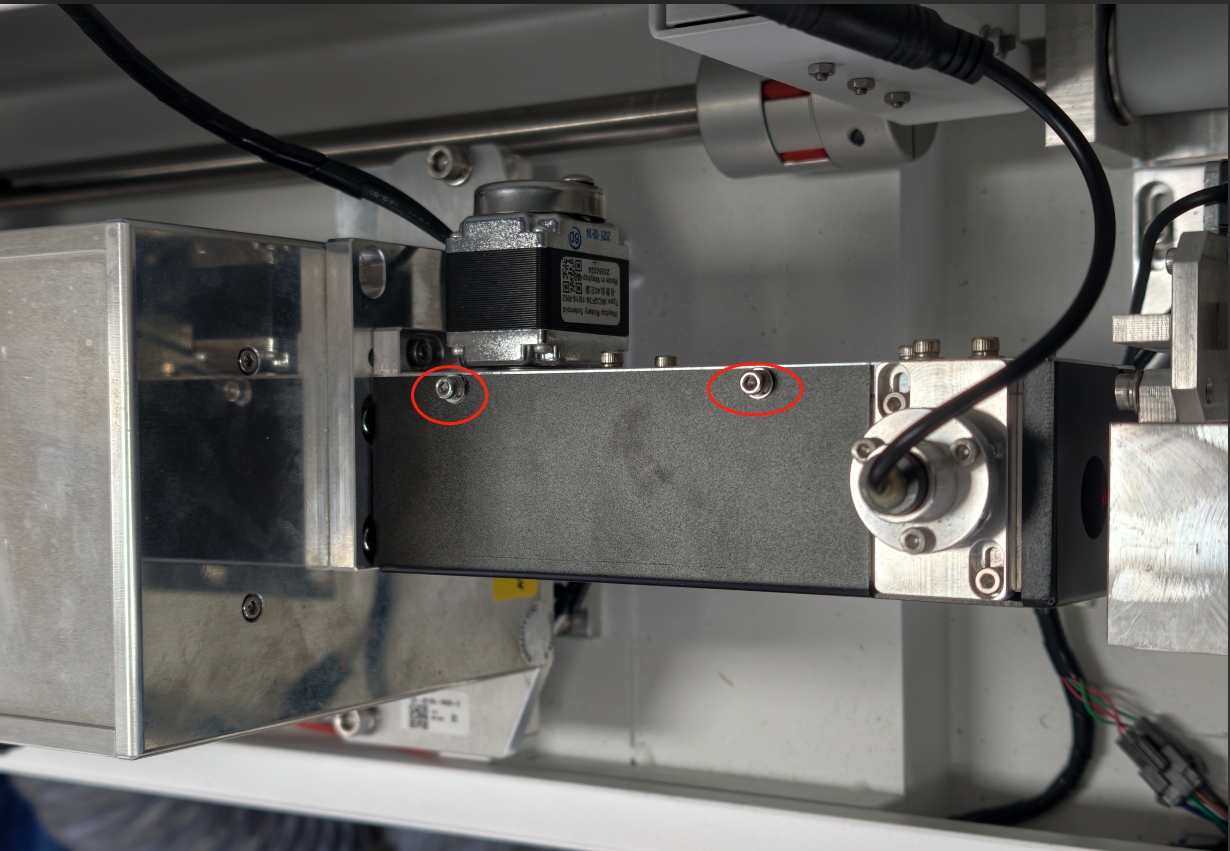
- Open the rear cover.
- Loosen the two 2.5 mm hex screws securing the holder cover.
- Remove the cover and place it in a safe location.
| 
|
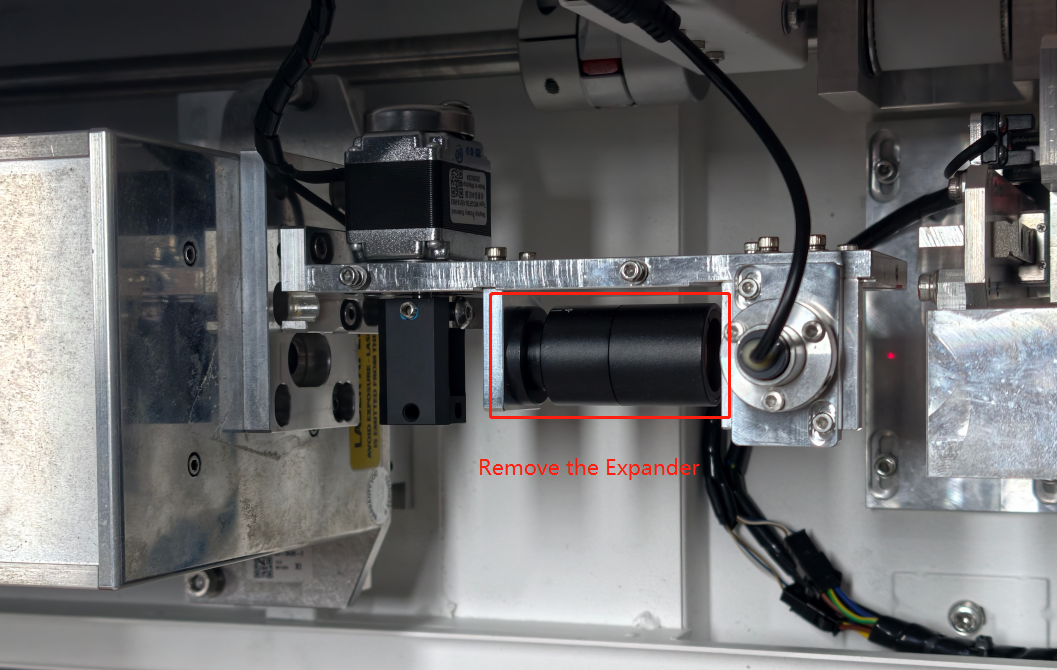
2.2. Expander Removal
| |
- Locate the beam expander assembly (black cylindrical component).
- Slide the beam expander straight out of its mount.
- Place the component on a clean, padded surface with the optical windows facing upward.
| 
|
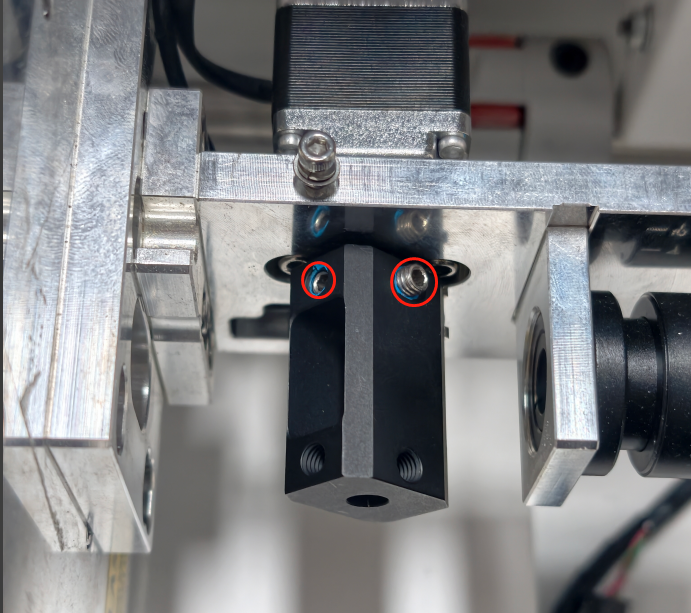
2.3. The Shutter Blade Removal
| |
- Locate the two 2.5mm hex screws securing the shutter blade.
- Loosen both screws.
- Carefully lift the entire shutter assembly.
| 
|
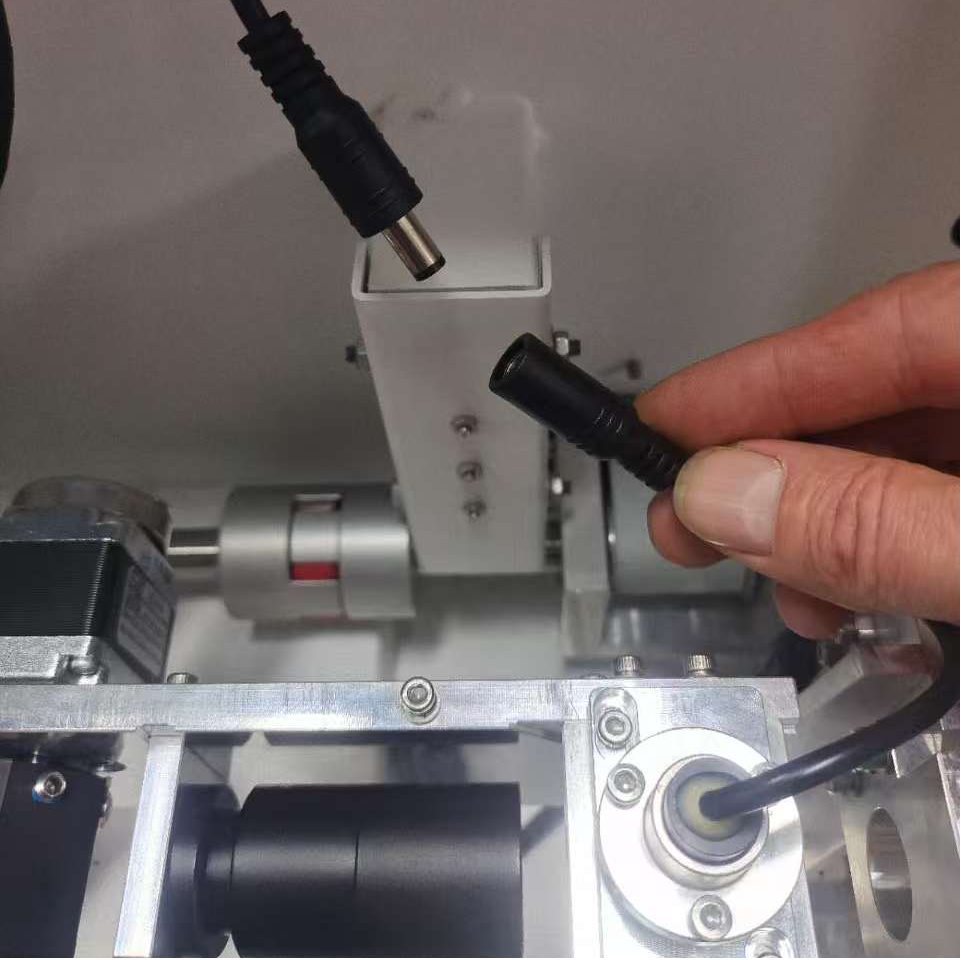
2.4. Red Dot Pointer Cable Disconnection
| |
- Disconnect the red dot pointer cable.
| 
|
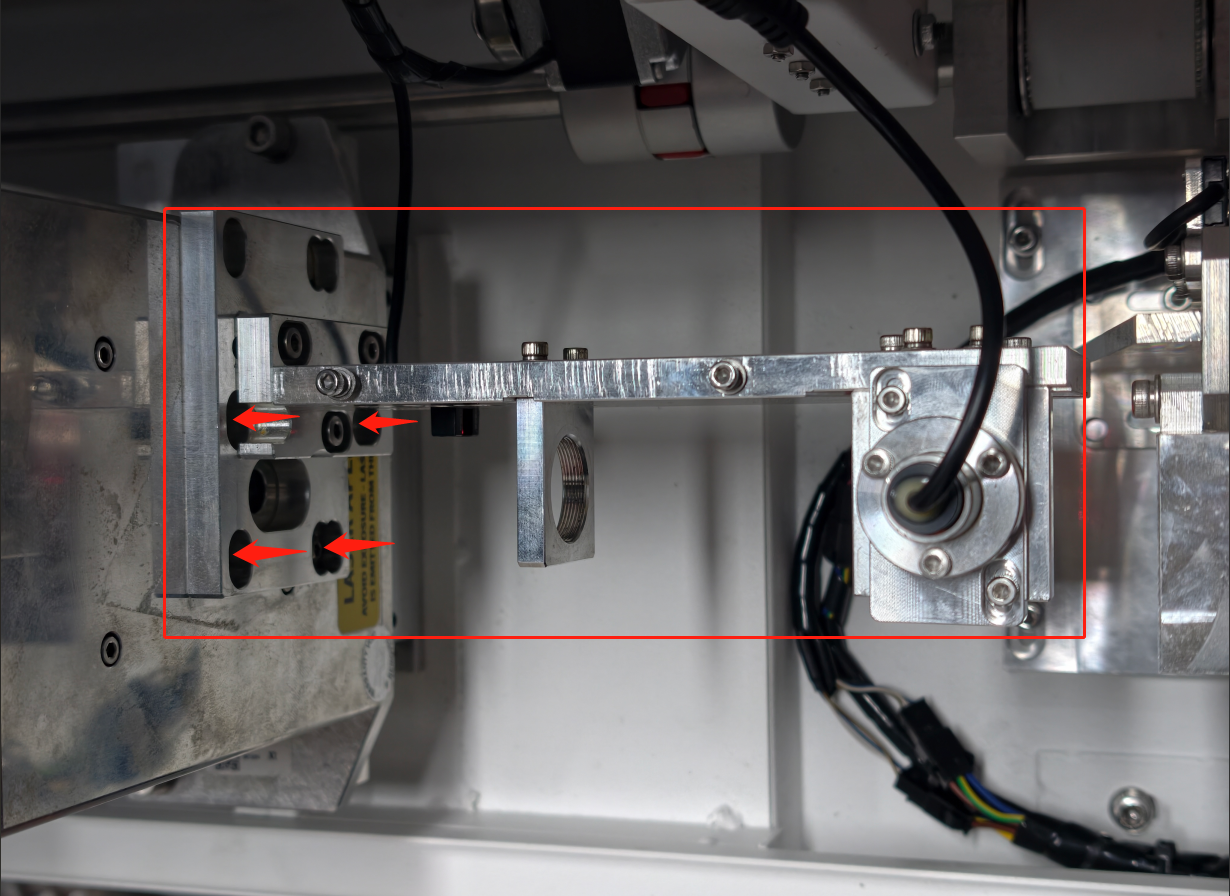
2.5. Expander Holder Removal
| |
- Locate the four 3mm hex screws securing the expander holder.
- Unlock all four screws evenly.
- Carefully lift the holder assembly away from the tube.
| 
|
3. Electrical Disconnection
3.1. Remove the Signal Cable Plug and the Power Cable of the Laser.
PRO TIP: Take a clear photograph of all cable connections before disassembly to assist with reinstallation.
| |
Signal Cable Removal - Locate the D-sub connector labeled "SIGNAL" on the RF laser source.
- Using a Phillips screwdriver, loosen the D-sub connector screws.
- Pull the connector straight back.
⚠ Do not twist, rock, or apply lateral force to avoid connector damage. | 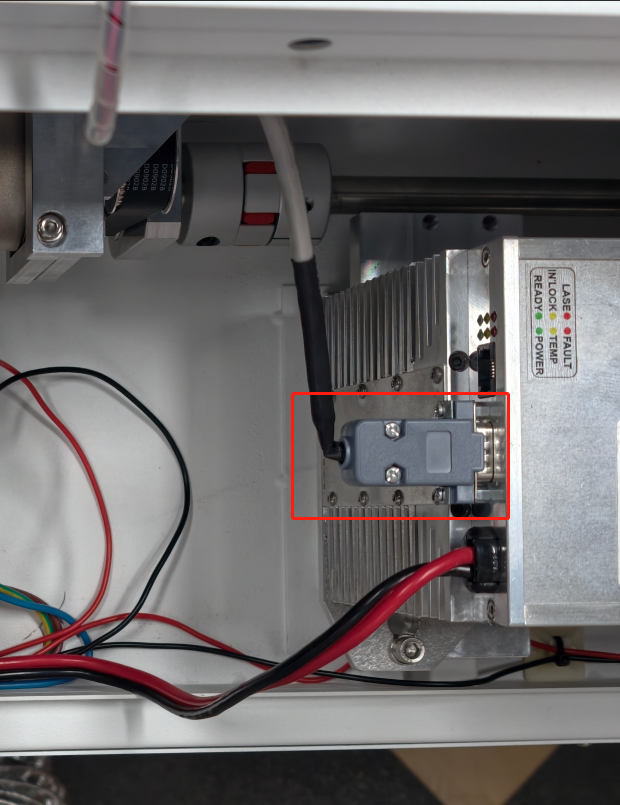
|
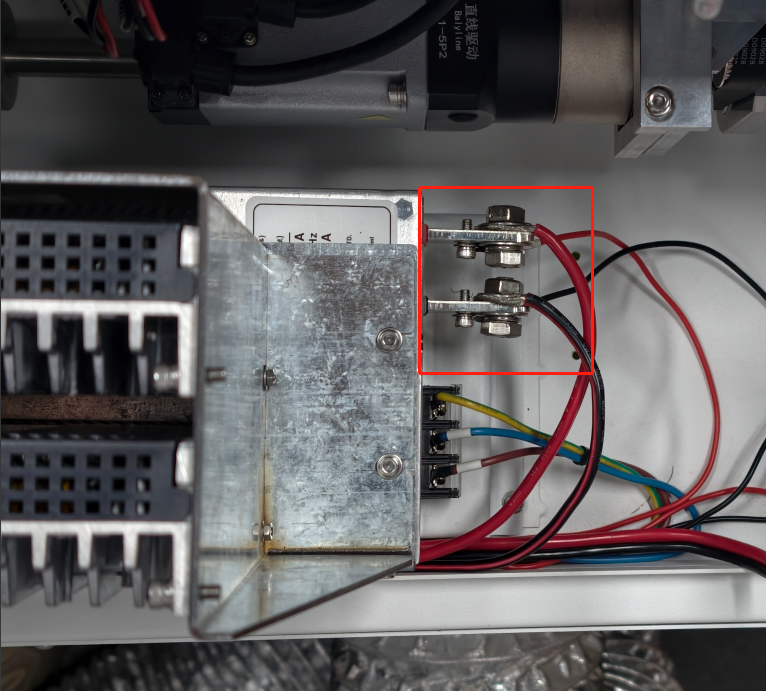
Power Cable Removal - Locate the high-voltage power connector.
- Identify the 13 mm securing nut.
- Using a 13mm open-end wrench, loosen the securing nuts counterclockwise.
- Remove the power cables.
| 
|
4. Old RF Laser Tube Removal
| |
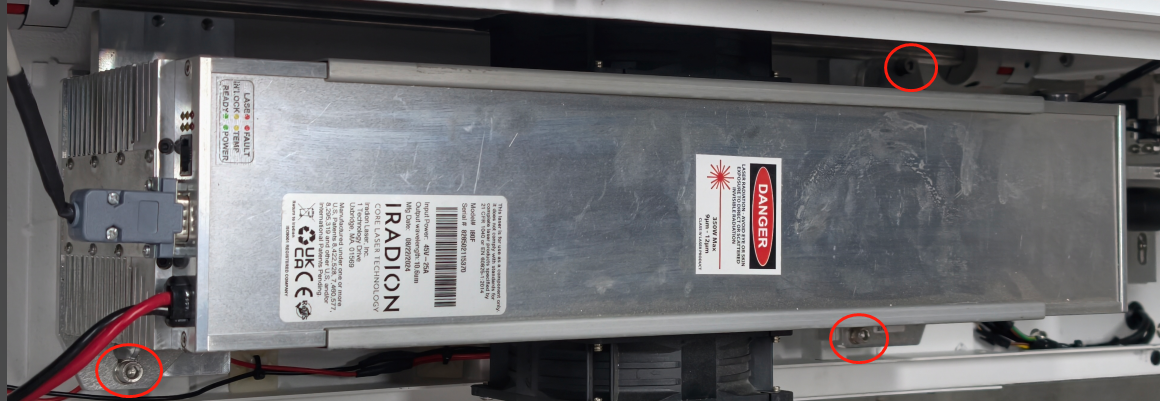
- Identify the three 5mm hex screws securing the laser source.
- Remove all three screws.
- Carefully lift the laser source straight up and out of the chassis.
- Place the removed RF Tube in a designated safe area.
| 
|
5. Reassembly
5.1. New Laser Source Mounting.
| |
- Install the new RF laser source in the original mounting position.
- Secure it using the three mounting screws.
|
|
5.2. Expander Holder Reinstallation
| |
⚠ CRITICAL: Reinstall the bracket WITHOUT any optical components installed (shutter blade, beam expander, motor). - Position the optical holder bracket on the mounting posts.
- Install the four 2.5mm hex screws finger-tight only.
- Do not fully tighten until after beam centering is complete.
|
|
5.3. Power Cable and Signal Cable Reconnection
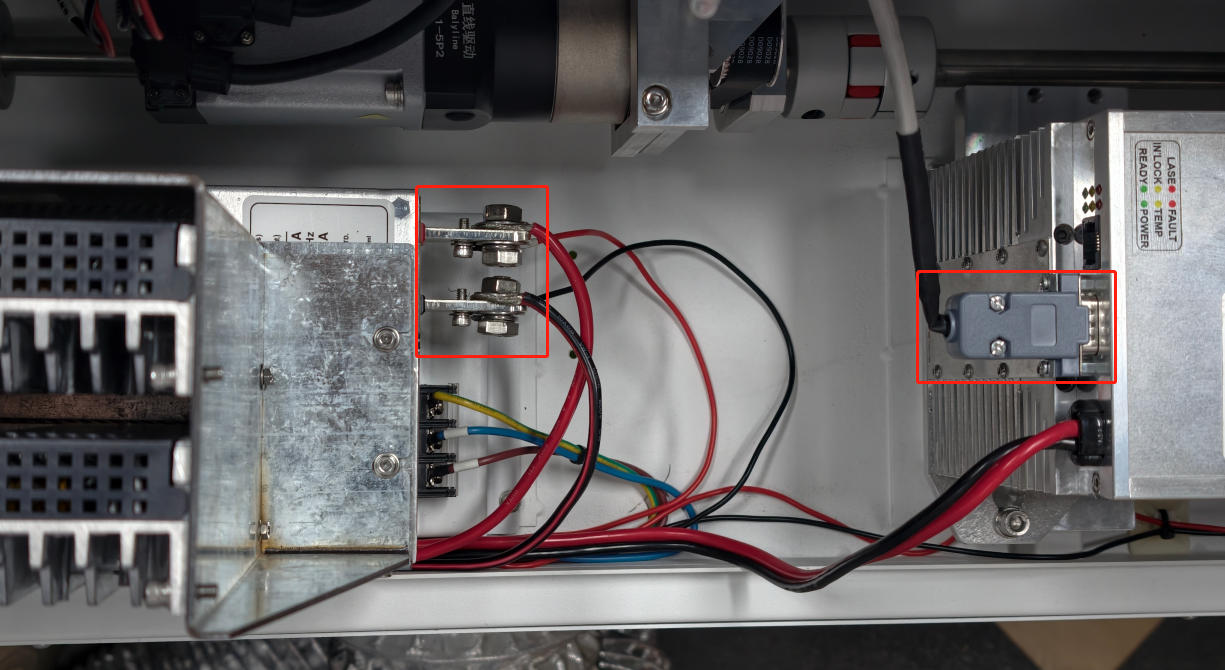
| |
- Reconnect the power cable.
- Using the 13mm wrench, tighten the securing nut (clockwise) until snug.
- Reconnect the signal cable, ensuring proper pin alignment.
- Verify all connectors are fully seated and secure.
| 
|
5.4. Verify Holder Installation
WARRING:
Do NOT reinstall the shutter blade, beam expander, or shutter motor at this stage.
Direct access to the laser output is required for beam centering verification.
| |
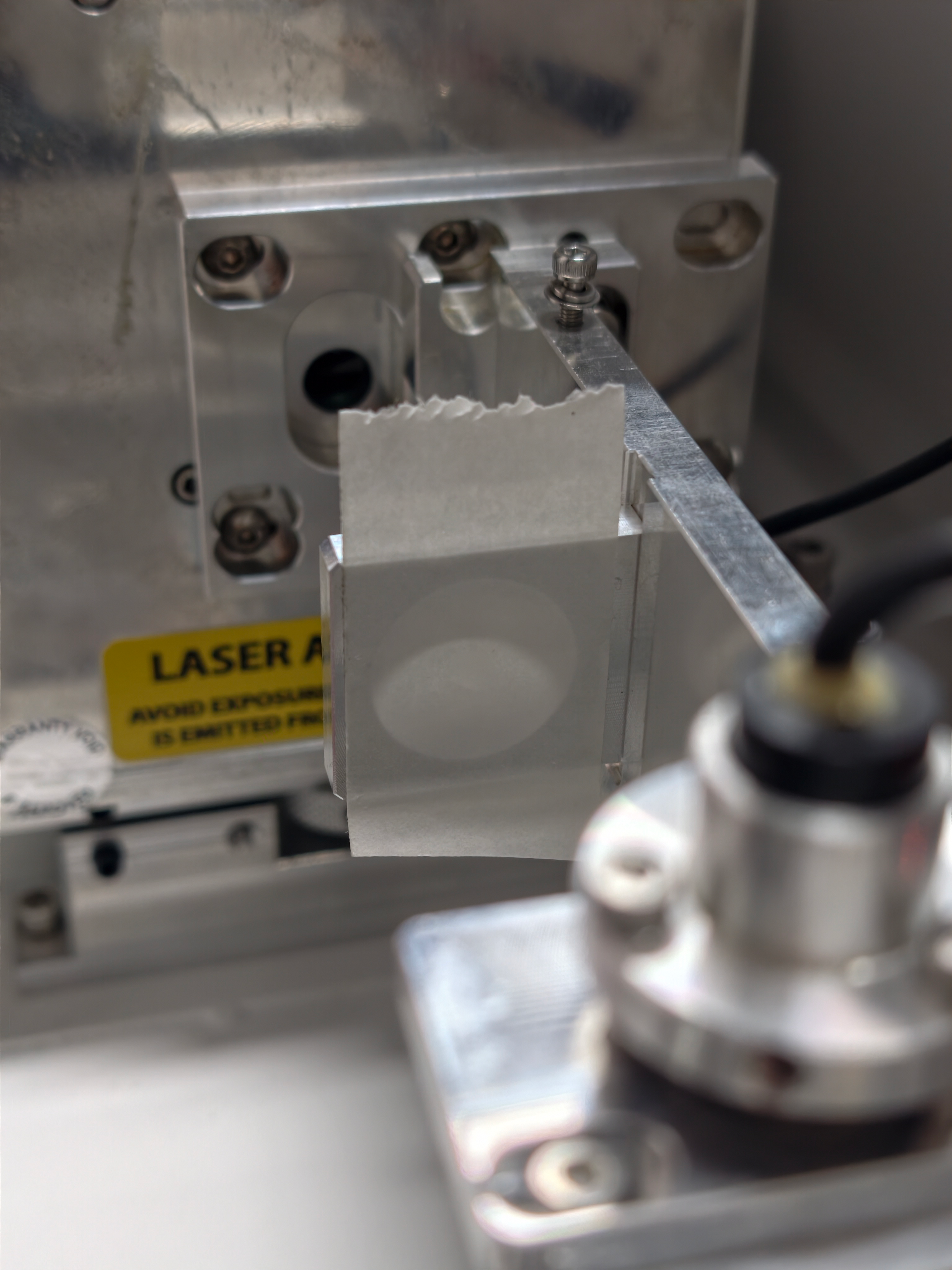
- Cut a 35mm × 35mm piece of paper alignment tape.
- Center the tape over the beam expander mount opening.
| 
|
5.5. Bypass the Door Protection
IMPORTANT: Due to shutter removal, the machine's safety system locks down the interface (control panel).
| |
- Power on the TITAN.
- Wait for the interface lock (the control panel may become unresponsive)
- Open the right-side access door.
- Locate and press the MAINTENANCE button to bypass the door interlock.
|
|
- PUSH the emergency stop button (red button, top of control panel)
- RELEASE it by turning the button clockwise.
The machine will reset and bypass the safety shutter check. | 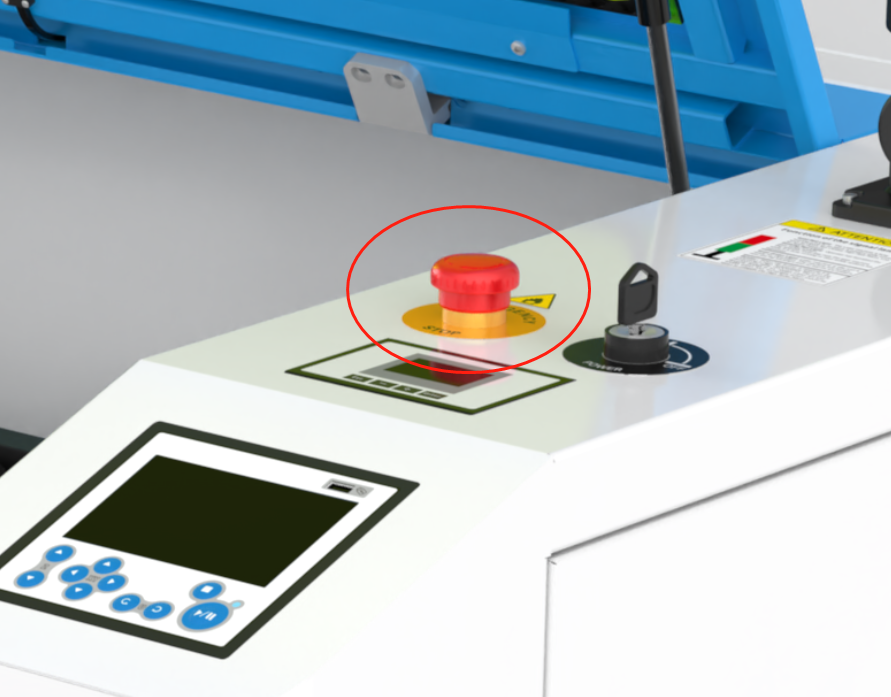
|
| |
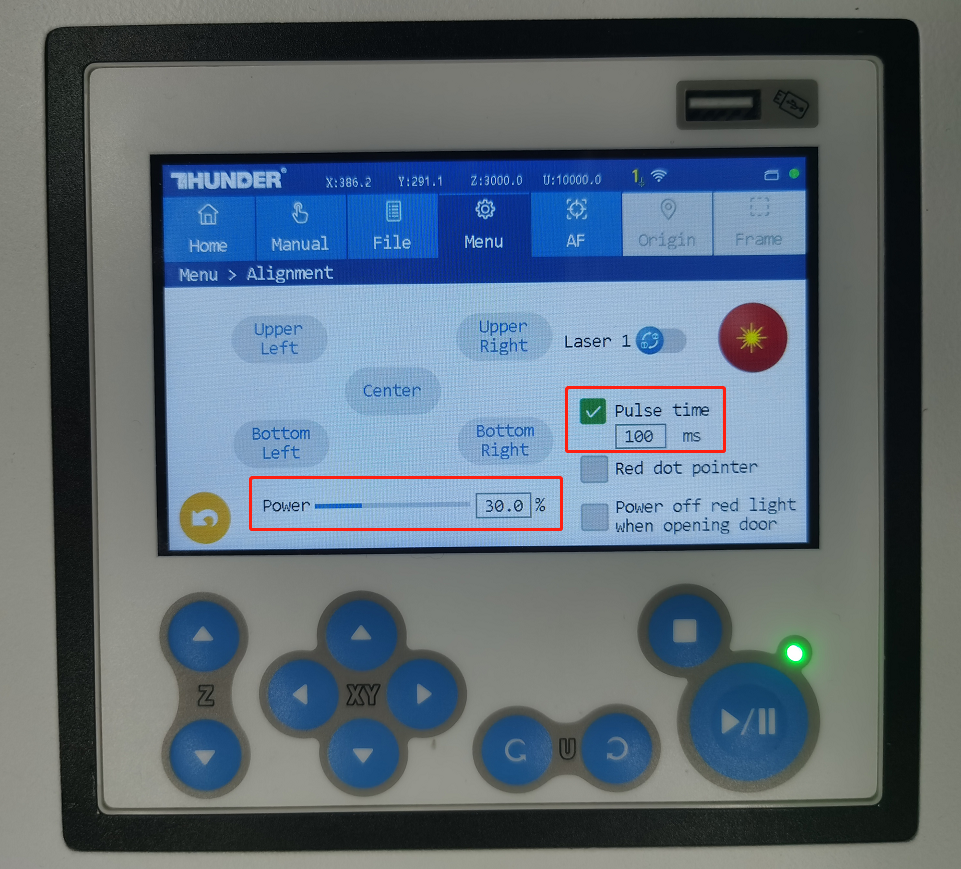
On the touch panel: Navigate to Menu → Alignment Set: - Laser Source: LASER 1
- Power: 30%
- Pulse Time: 100
- Mode: "Pulse Time" only
| 
|
⚠ WARNING
- All personnel are wearing CO2 laser safety glasses.
- Ensure the work area is clear of flammable materials.
- Beam path verified to be unobstructed.
- The emergency stop is accessible and functional.
5.7. Execute Test Pulse
| |
- Click the Pulse button to emit a laser pulse.
- Observe the burn mark on the alignment tape.
|
|
5.8. Beam Centering Analysis
| |
Correct alignment result: - A clean, circular burn mark
- Precisely centered within the beam expander mount aperture
If the beam is not centered, adjustment is required. | 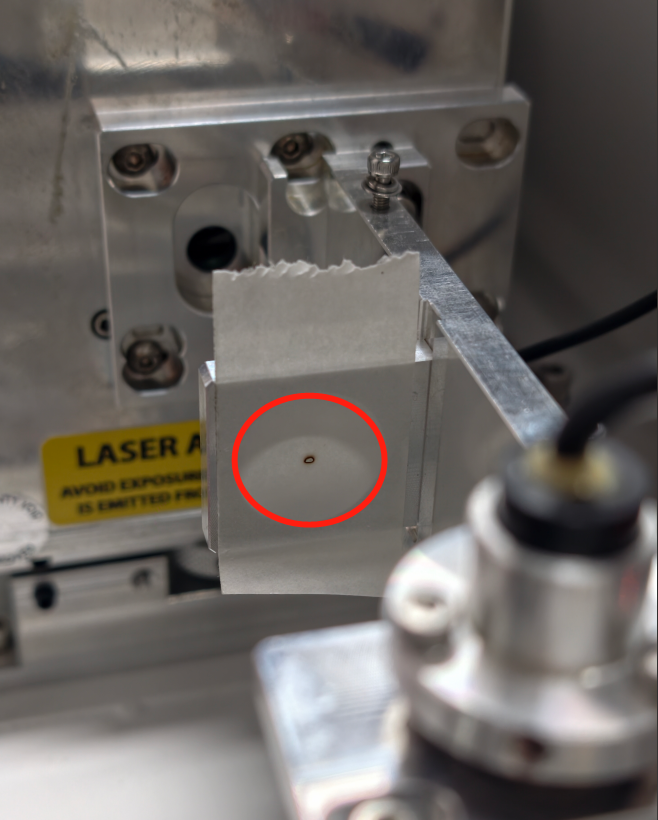
|
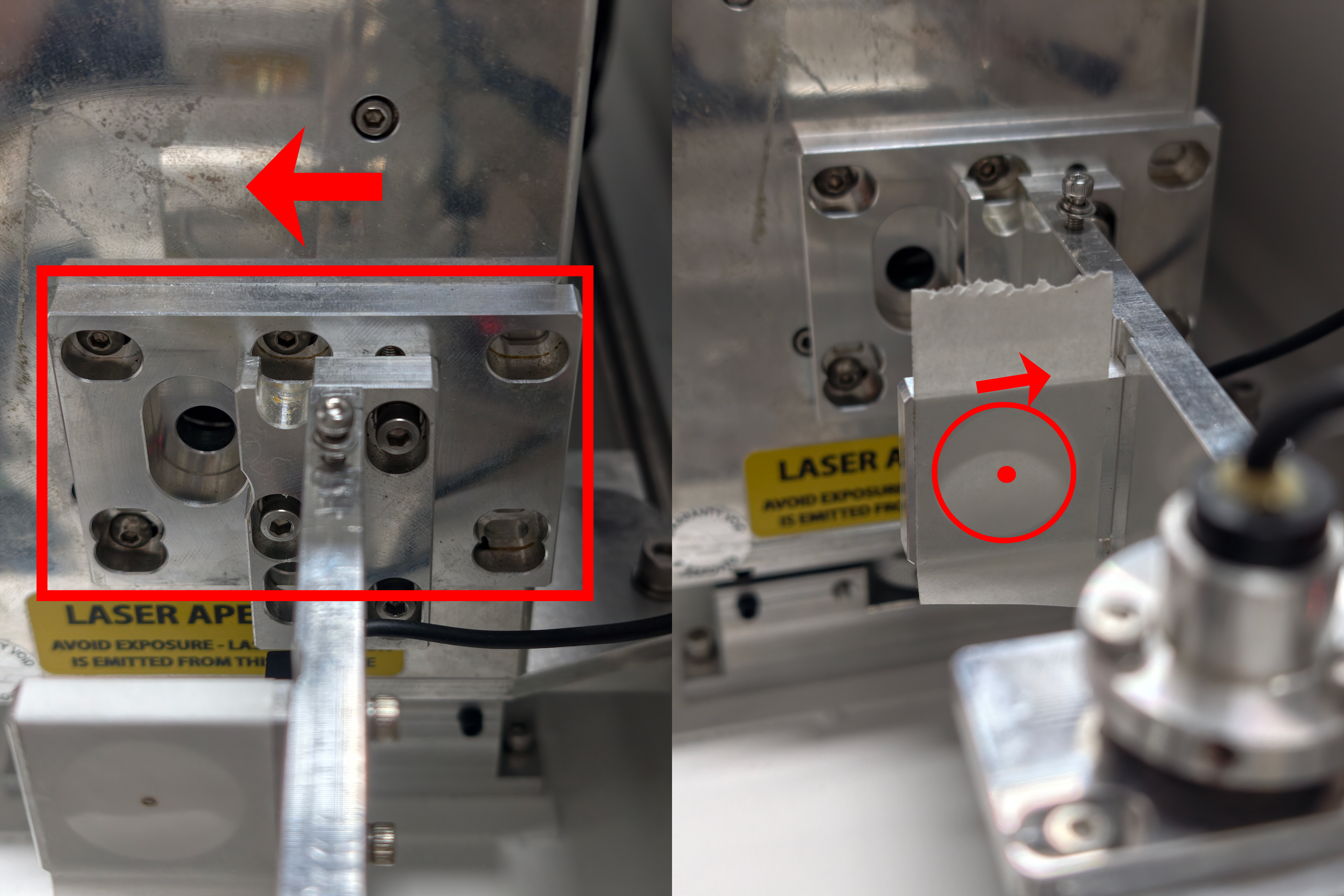
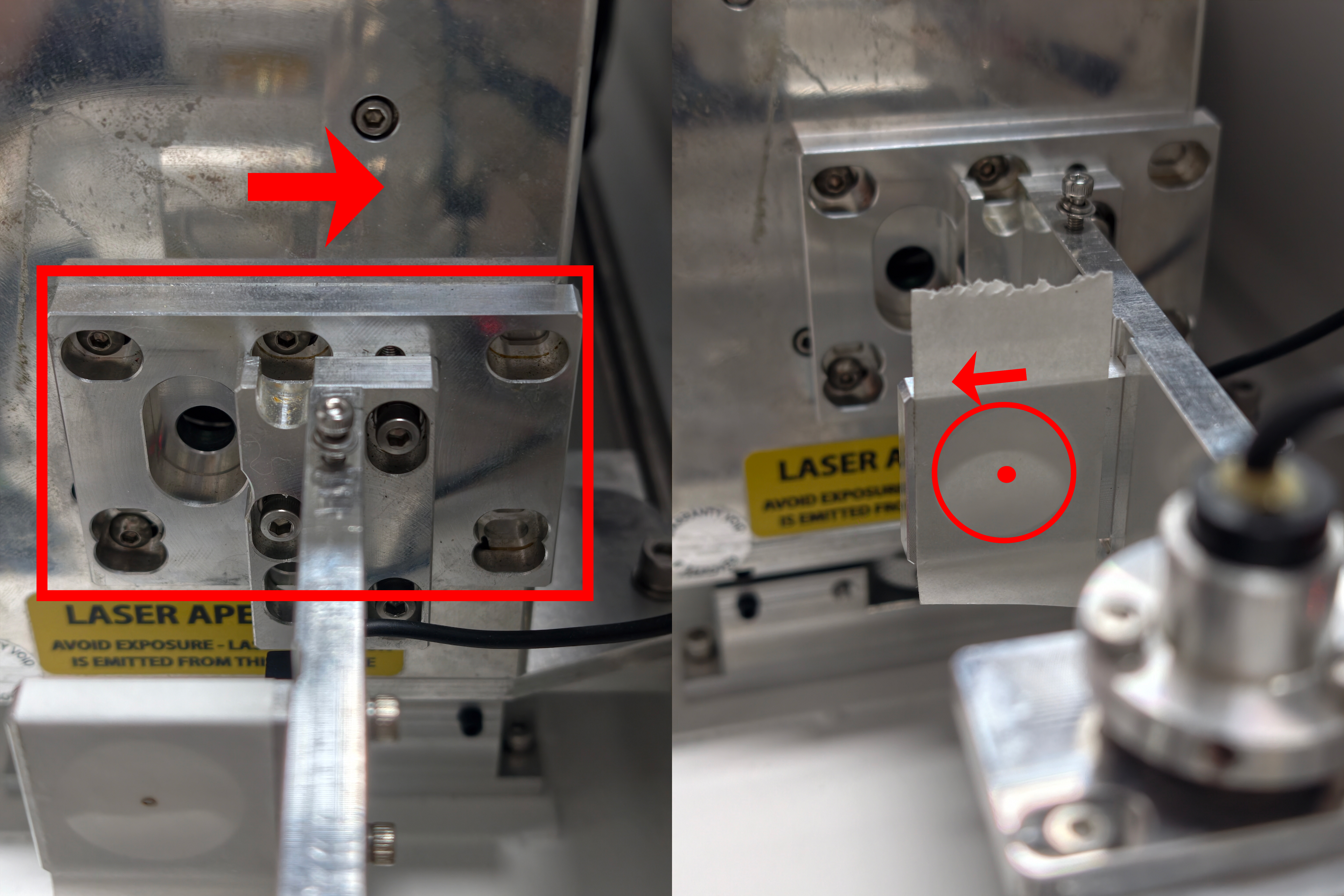
Horizontal (X-Axis) Adjustment
Note: Adjustment direction is opposite to beam movement.
| |
- Loosen the four screws of the expander holder.
|
|
- To move the beam RIGHT: Slide the entire holder assembly LEFT.
| 
|
- To move the beam LEFT: Slide the entire holder assembly RIGHT.
| 
|
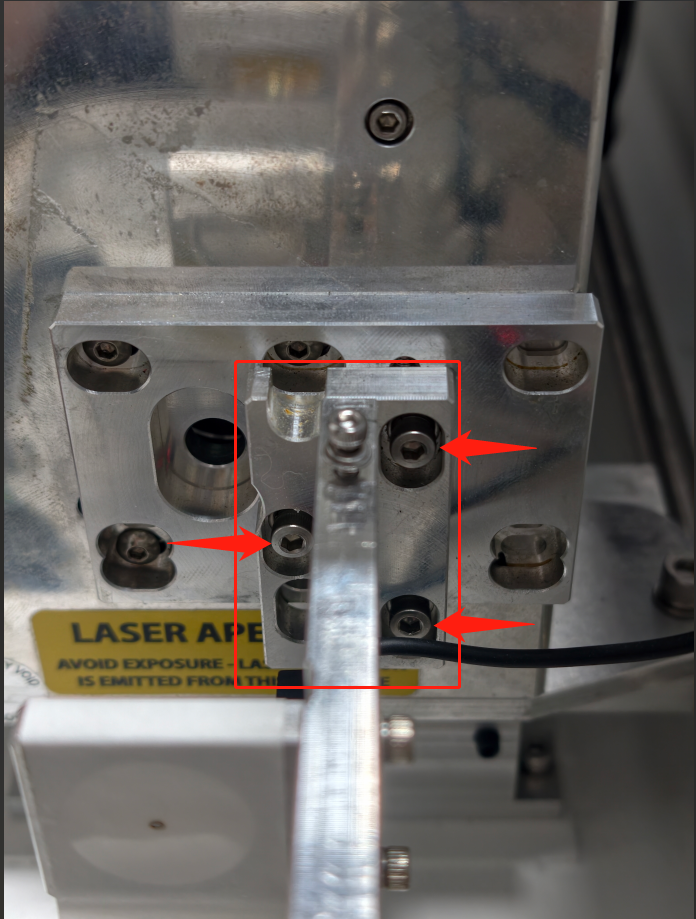
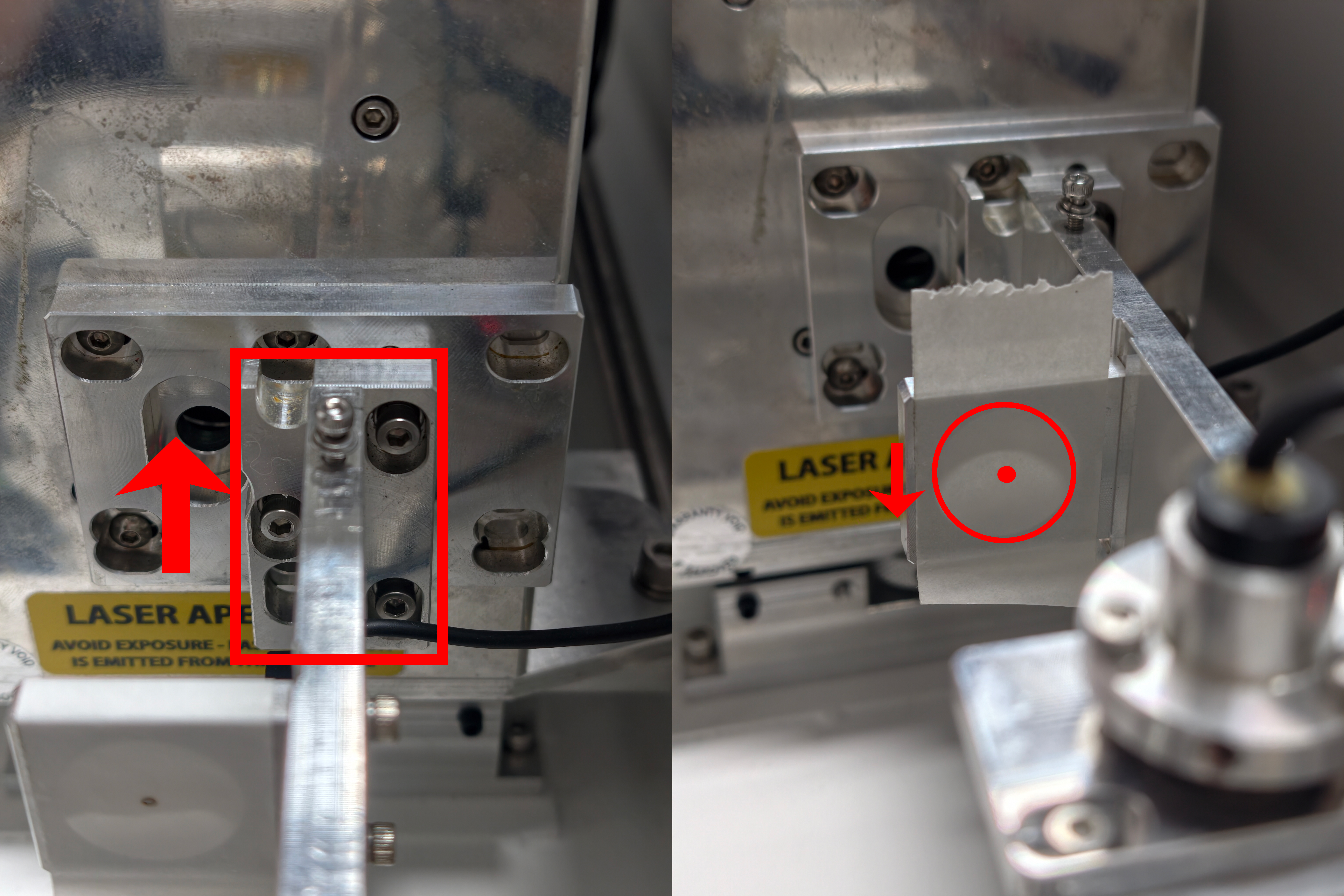
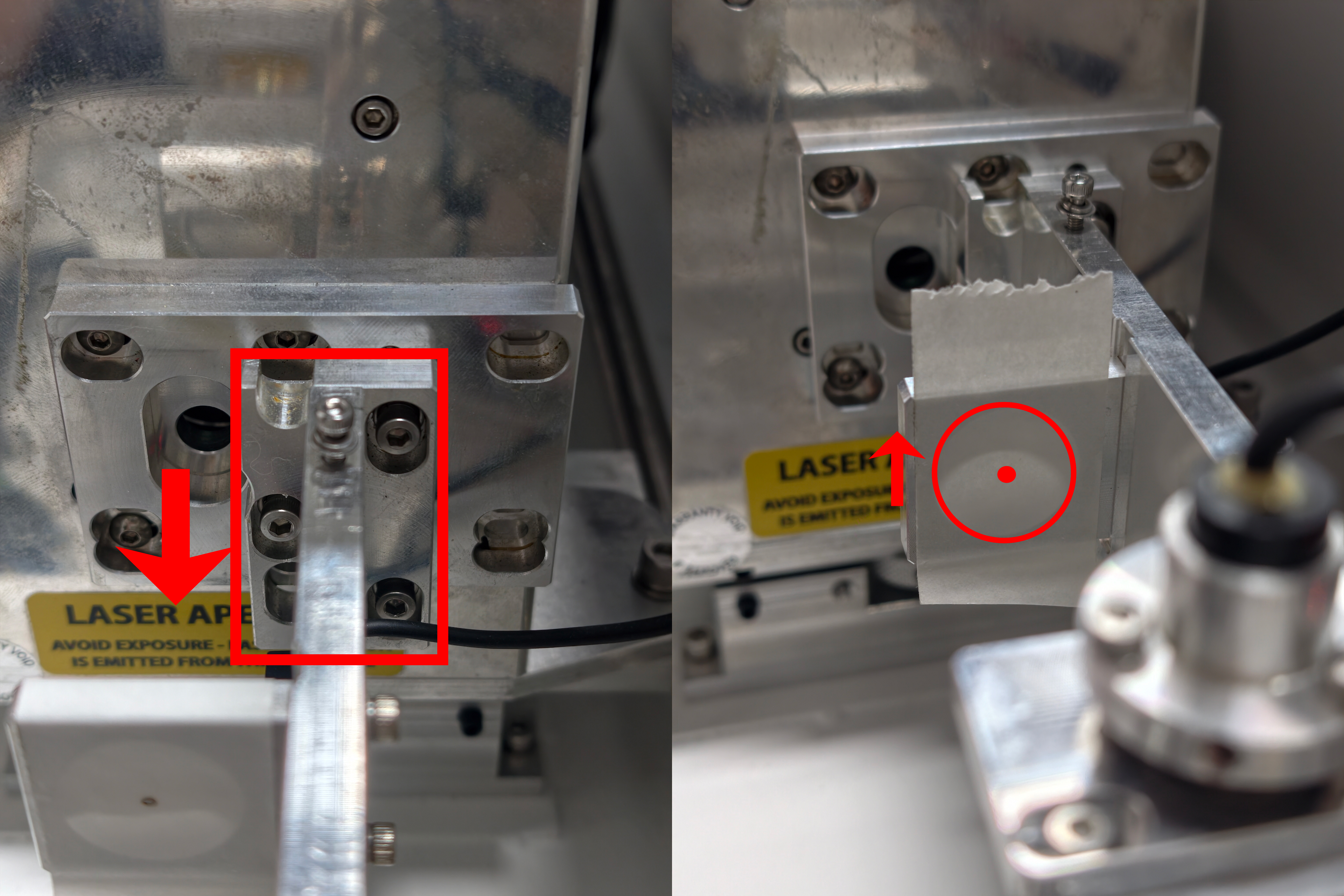
Vertical (Y-Axis) Adjustment
| |
- Loosen the three screws of the expander holder.
| 
|
- To move the beam DOWN: Slide the holder assembly UP.
| 
|
- To move the beam UP: Slide the holder assembly DOWN.
| 
|
Repeat adjustments until the beam is perfectly centered.
Then tighten all mounting screws securely.
6. Final Reassembly Procedure
6.1. Red Dot Pointer Cable Reconnection
| |
Reconnect the red dot pointer cable securely. | 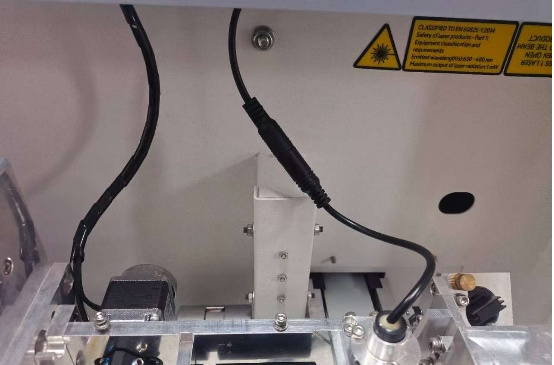
|
6.2. The Shutter Blade Reinstall
| |
- Position the shutter blade assembly over the mounting posts on the bracket.
- Install the two 2.5mm hex screws loosely.
- Ensure free and unobstructed rotation.
|
|
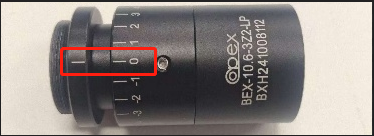
6.3. Beam Expander Reinstall
| |
- Insert the beam expander back into its mount.
- Ensure it is fully seated.
- Ensure the scale is aligned with 0.
| 
|
6.4. Expander Holder Cover Reinstall
| |
- Reinstall the optical holder bracket cover.
- Secure with the two 2.5 mm hex screws.
- Close and latch the rear access door.
| |
7. Realignment After Replacing the Laser
After replacing the CO2 laser, it is essential to recheck the beam path to ensure it is correct. If it is incorrect, recalibrate it according to the beam path adjustment tutorial.
Complete Guide To TITAN Series Laser Alignment
Still need help?
For specific technical questions or help requests, please open a Ticket with picture or video, so our Support team can assist you ASAP.
For the information provided in the ticket, please refer to this link:
Help Tech Support Troubleshoot Faster
END.