Thunder AccuMetal Unpacking Handling and Installation Guide
Preface
The Thunder AccuMetal metal laser cutting machine is shipped in a wooden crate. Proper unloading, handling, unpacking, and installation help protect the equipment and prepare it for stable operation.
The machine is heavy and contains a laser source, cutting head, motion system, and precision electrical components. Insufficient forklift capacity, incorrect fork placement, uneven support, or impact during handling may damage the machine. Once the machine is in position, complete leveling, reinstall the scrap collection components, and connect the chiller, gas supply, exhaust fan, and power supply.

1. Delivery Inspection and Unpacking
Check the wooden crate for damage, visible deformation, or signs of moisture. If you find any abnormalities, take photos and contact the carrier and Thunder Laser for confirmation before proceeding.
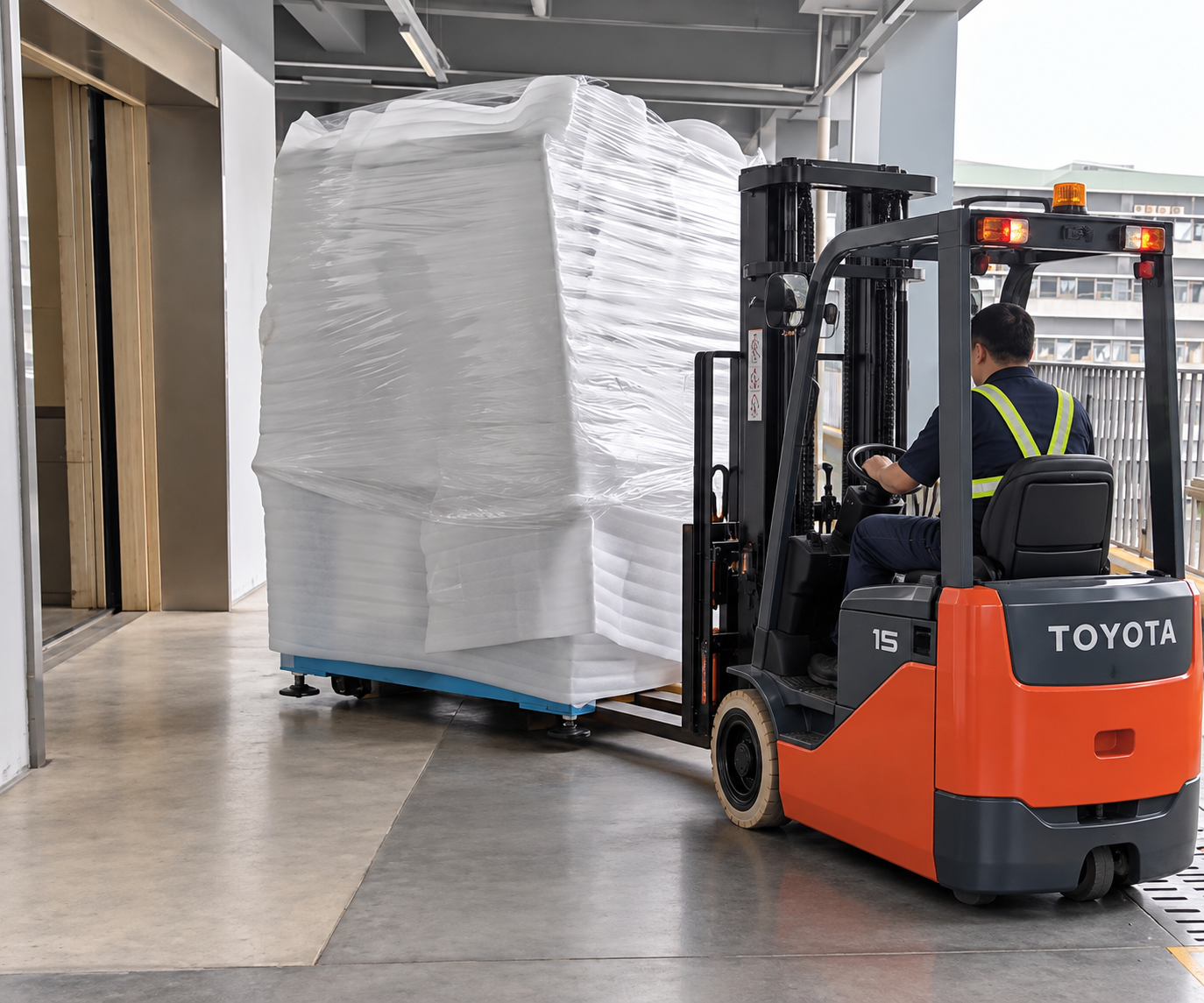
Use a forklift with sufficient load capacity. Insert the forks in the direction and positions indicated by the fork entry labels on the crate, then place the crate in a spacious area with a level, firm surface. The forklift must support the actual weight of the packaged equipment at the applicable fork extension and load center.
Carefully dismantle the crate and remove all protective foam, plastic film, securing blocks, and other packaging materials. Inspect the machine exterior, accessories, and visible connections for shipping damage. Before lifting the machine, confirm that all shipping restraints securing it to the pallet have been released.
The external accessories are packed separately from the machine in an independent wooden crate. This accessory crate contains the water chiller, exhaust fan, tools, and other accessories. Remove the accessory crate contains and check the installation components against the supplied packing list. Record any missing or damaged items and contact Thunder Laser before proceeding.
2. Tools Required
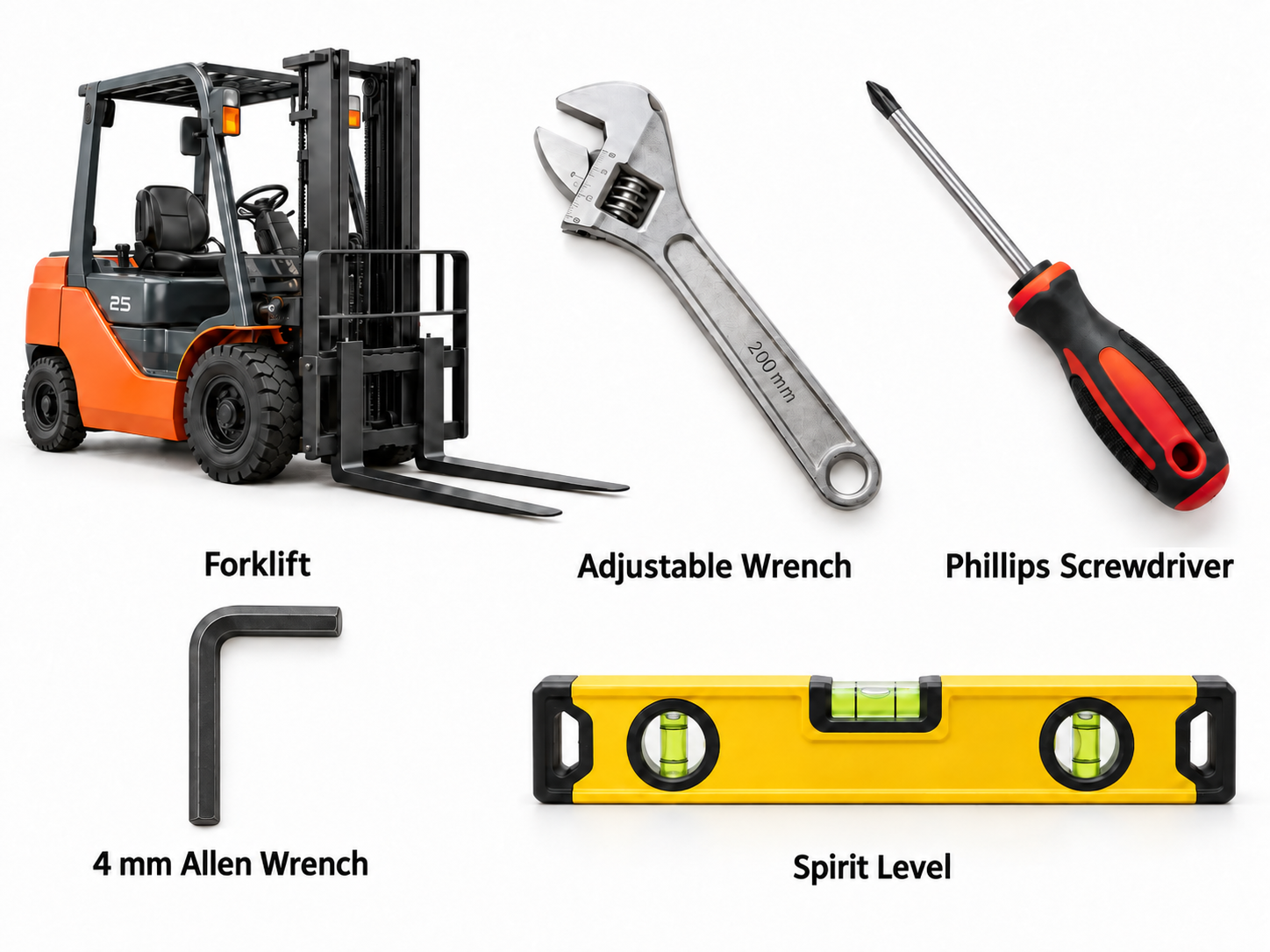
Please prepare the following tools in advance to facilitate machine handling and setup.
Tools | Picture |
Forklift |
|
Adjustable Wrench | |
Phillips Screwdriver | |
4 mm Allen Wrench | |
Spirit Level |
If you are using a forklift to move the machine, please refer to the table below to select a forklift with the appropriate rated lifting capacity.
Specification | AccuMetal 24 | AccuMetal 51 |
Packing Dimensions (L × W × H) | 1850 × 1690 × 2300 mm | 2230 × 2550 × 2300 mm |
Packed Weight | 1420 kg | 2359 kg |
External Equipment Accessories Crate Dimensions | 1560 x 830 x 1220mm | 1560 x 830 x 1220mm |
Recommended Forklift Rated Capacity | ≥ 2.5 T | ≥ 3.0 T |
3. Moving the Machine to Its Installation Position
3.1 Remove the machine from the pallet
Use a forklift with sufficient load capacity. Insert the forks in the direction and designated positions indicated by the labels on the machine. Confirm that the forks provide secure, even support, then slowly lift the machine and move it off the pallet.
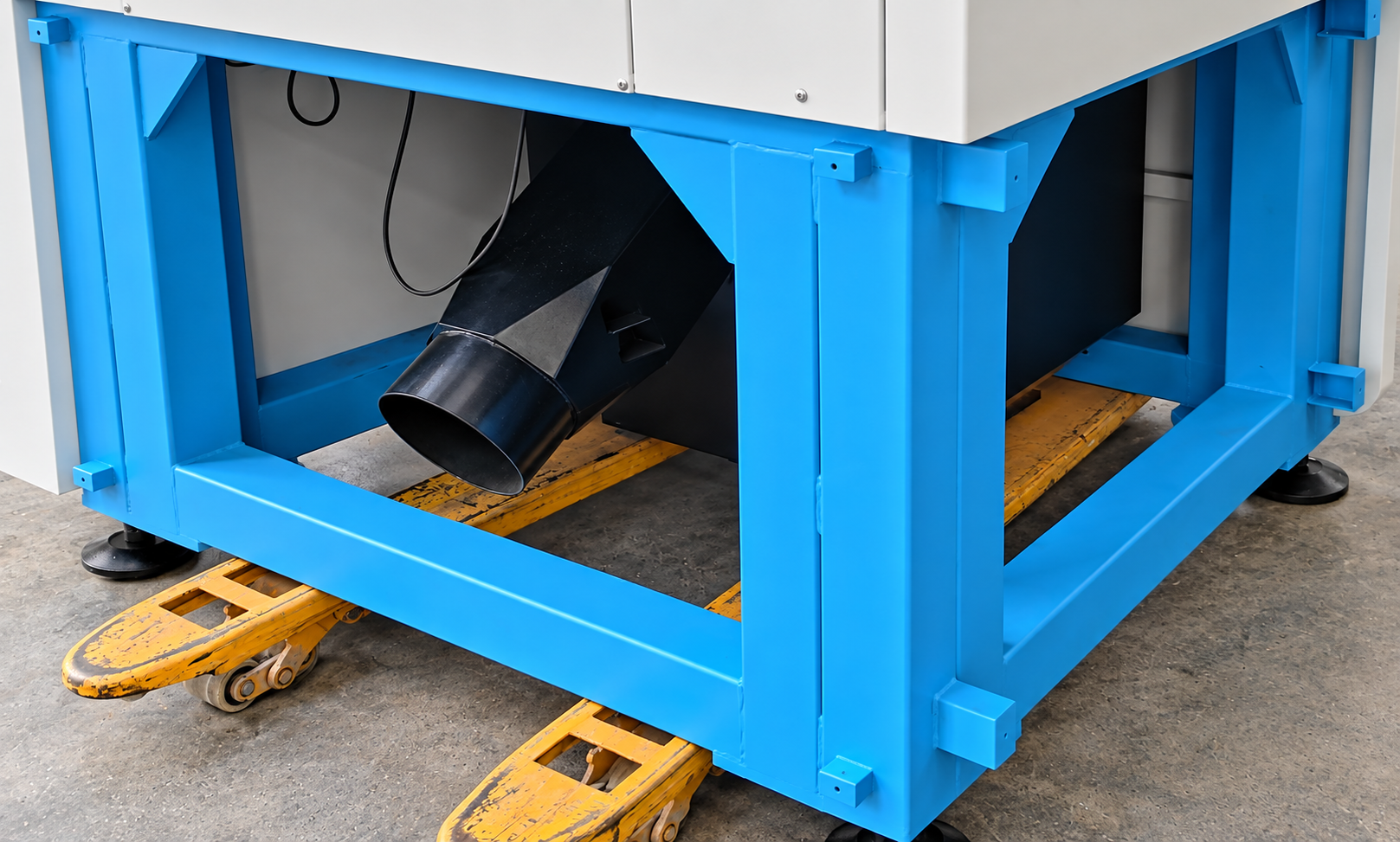
Normally, the forks of a powered forklift can slide underneath the machine without interference from the scrap collector. However, when using a manual pallet jack, the fork dimensions or spacing may not be compatible with the clearance underneath the machine. As a result, the forks may interfere with the scrap collector, making it difficult to move the machine and potentially causing deformation or damage.
Electric Forklift | Manual Pallet Jack |
|
|
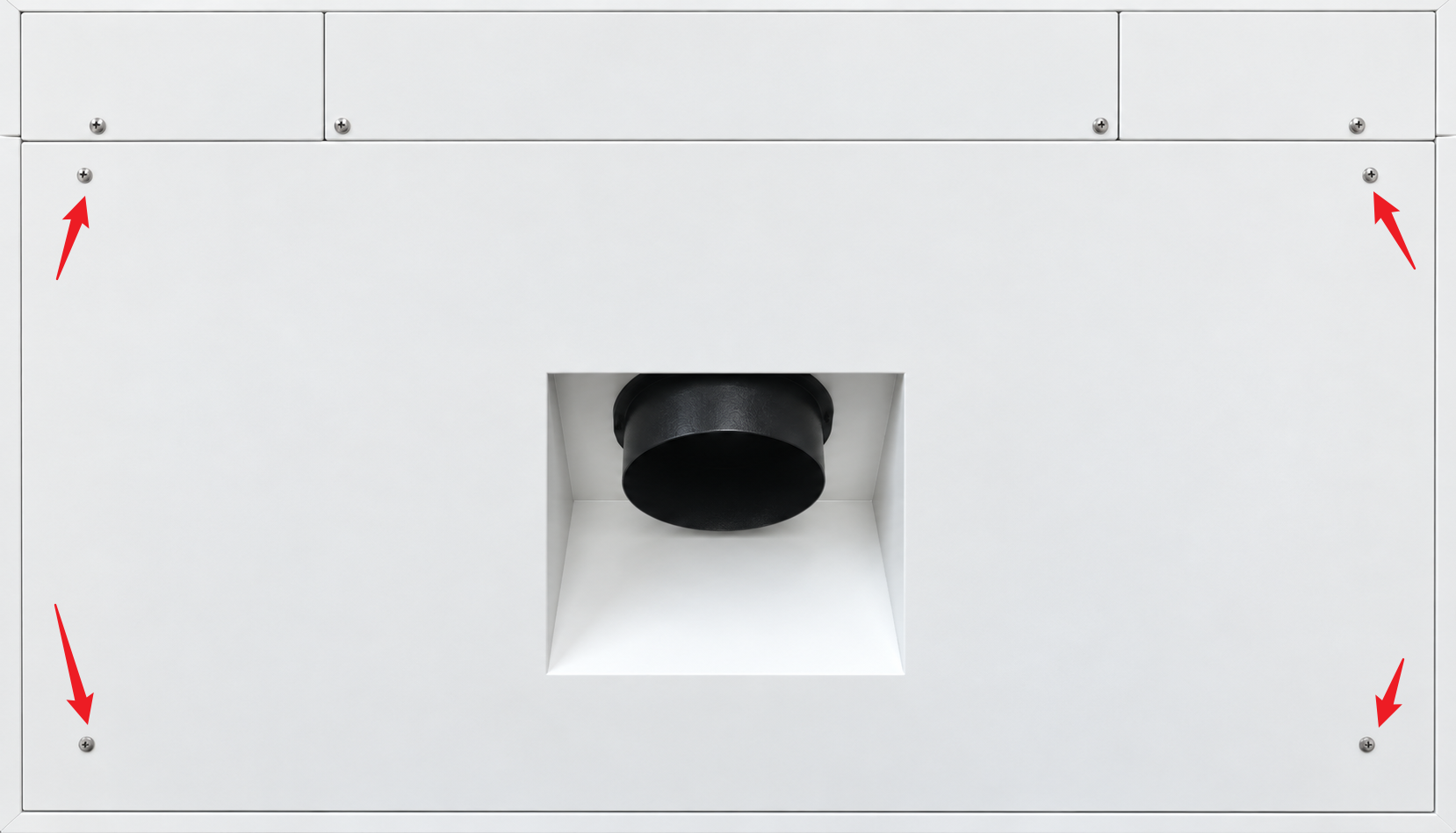
Parts to Be Removed | Picture |
Rear Panel |
|
Collector Limit Switch |
|
Left Door Panel |
|
Collector Mounting Bracket (12 screws: 3 each on the front, rear, left, and right sides; 4 mm Allen wrench) |
|
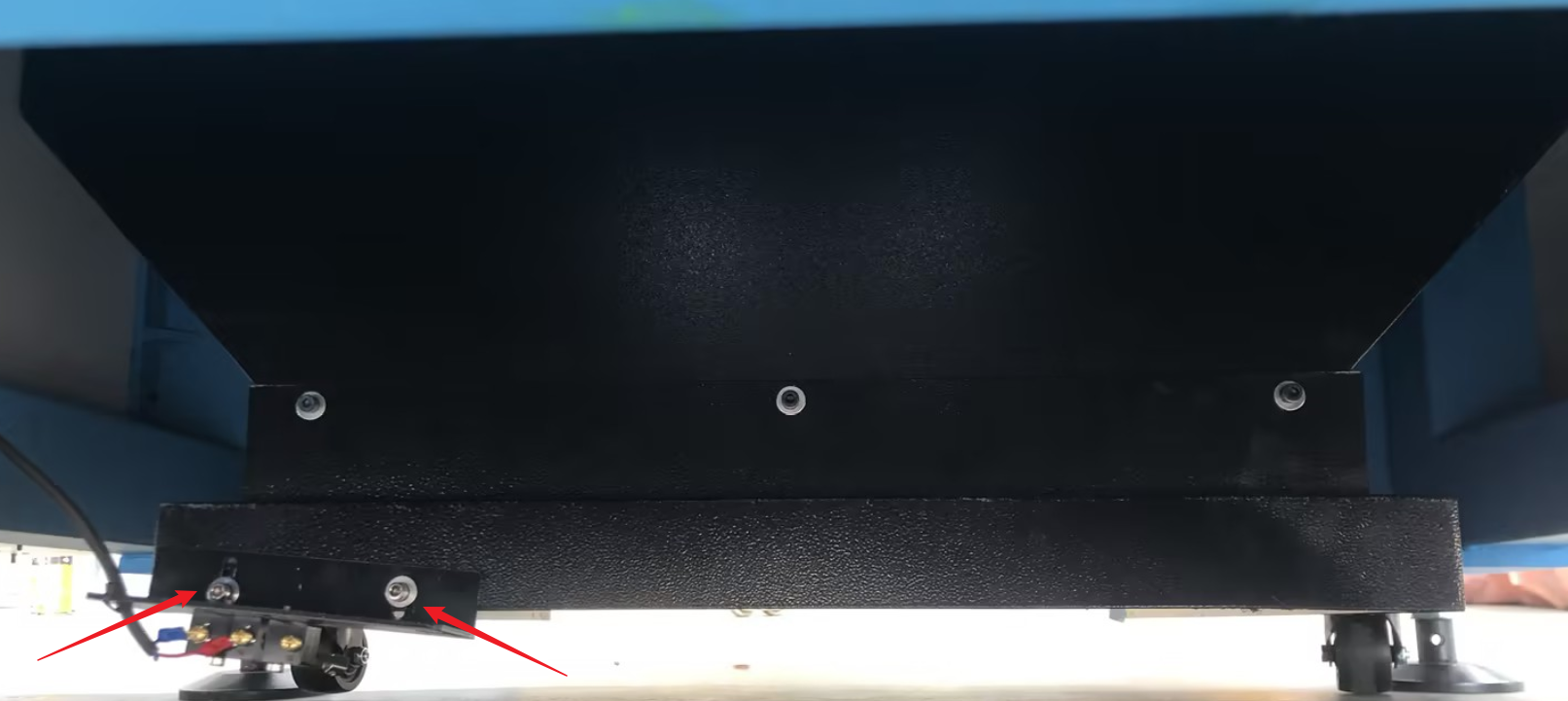
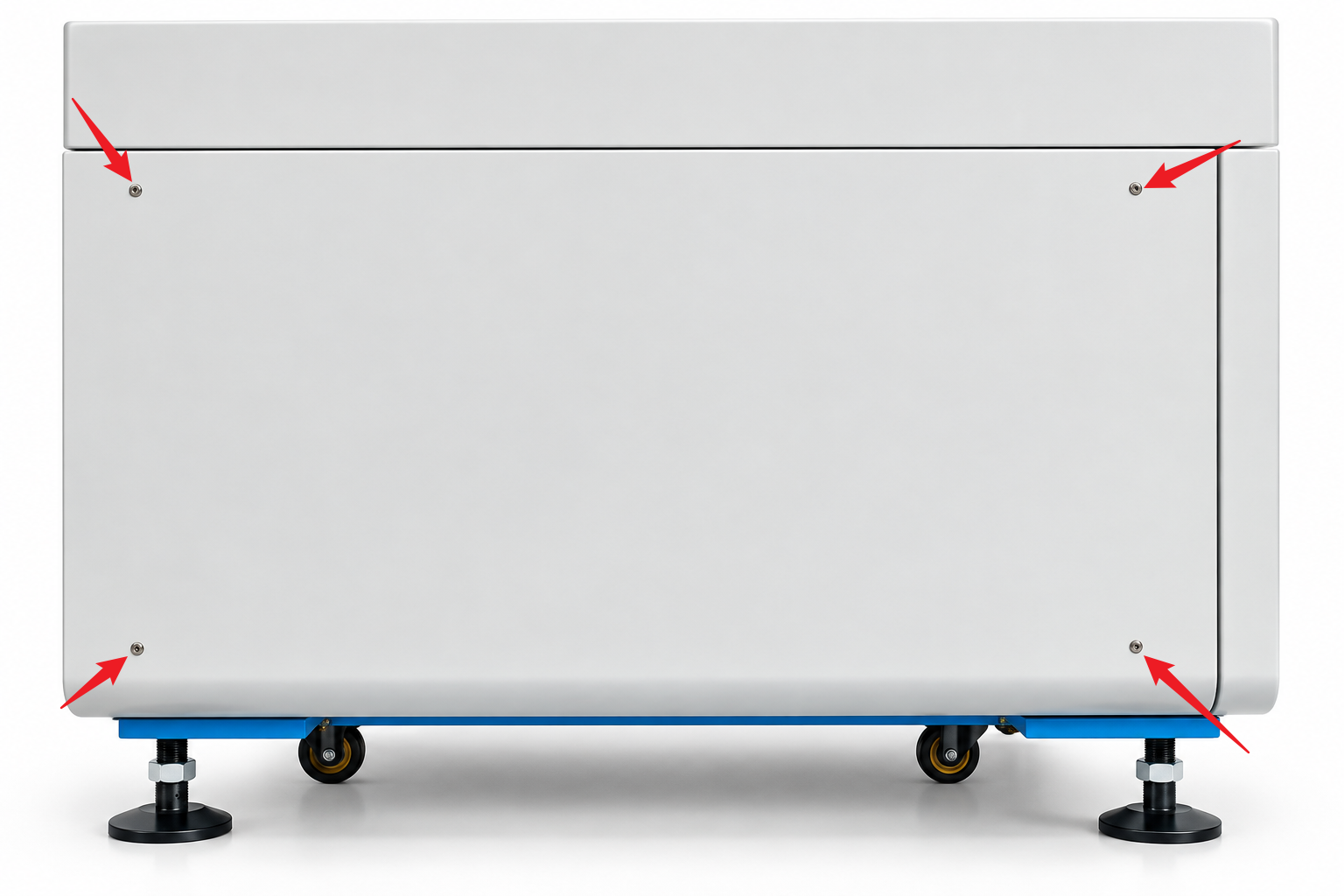
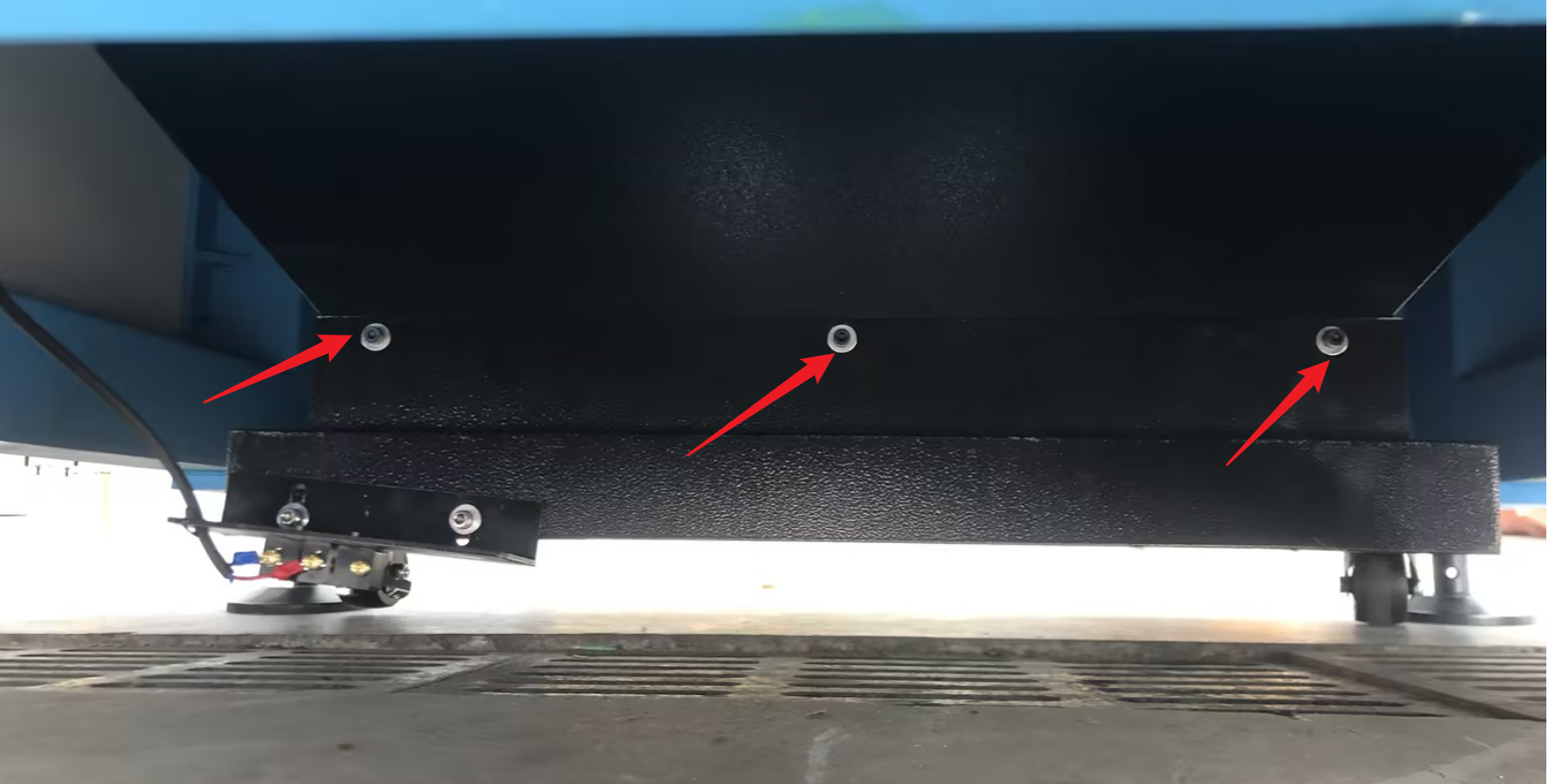
3.2 Move short distances using the casters
4. Installation Location and Tools
Place the machine on a level, firm floor with sufficient load-bearing capacity. When installed as a standalone unit, allow at least 1.2 m of clearance around the entire machine for operation, maintenance, loading and unloading, and routing hoses and cables. Also allow sufficient space to open the door, pull out the scrap collection drawer, and service peripheral equipment.
Once the machine is in its final position, lower all four leveling feet and secure them after leveling. During normal operation, the leveling feet must provide stable support for the machine.
5. Leveling the Machine
- Open the machine door and locate the designated leveling reference surface.The X-axis guide rail is inside the dust cover on the X-axis gantry. Use a 4 mm Allen wrench to remove the screws securing the dust cover to access the component.
- Place the spirit level at the designated measuring position. Lower and adjust the four leveling feet at the bottom of the machine until the machine is fully supported by the leveling feet.
- Adjust the leveling feet gradually and alternately while checking the spirit level. Confirm the machine is level and stable in both the left-to-right and front-to-rear directions.
Measurement Result | Recommended Adjustment |
Left side of X-axis is higher than the right | Lower the left support or raise the right support slightly. |
Right side of X-axis is higher than the left | Lower the right support or raise the left support slightly. |
Front of Y-axis is higher than the rear | Lower the front support or raise the rear support slightly. |
Rear of Y-axis is higher than the front | Lower the rear support or raise the front support slightly. |
- If a leveling foot cannot be adjusted easily, use a suitable jack or pallet jack to raise the machine slightly. Position the lifting point directly beneath a structural crossbeam at the bottom of the machine. Once adjustment is complete, tighten the leveling foot locknuts and check the level again.
6. Chiller Installation
6.1 Fill the chiller
6.2 Connect the water hoses
Use the supplied hoses to connect the low-temperature circuit L and high-temperature circuit H according to the connection diagram for the machine model. The port connections provided for this article are as follows:
Chiller port | Machine port |
INLET L | INLET L |
OUTLET L | OUTLET L |
INLET H | INLET H |
OUTLET H | OUTLET H |
7. Exhaust System Installation
3. Check that the hoses are not compressed, kinked, or loose, and confirm the correct airflow direction through the exhaust fan.
8. Gas Supply Connection
This section covers compressed air and nitrogen connections.
Gas Requirements | Nitrogen Requirement | Nitrogen Input Pressure <1.6MPa(User may adjust according to needs), Purity≥99.99% |
Air Requirement | Air Input Pressure <1.6MPa(User may adjust according to needs), must be dry, no water and no oil | |
Gas Flow Requirement | Gas Flow >1.0m³/Min |
8.1 Using compressed air
When using compressed air, ensure it is perfectly dry and pure. Refer to Figure for hose connection instructions.
8.2 Using nitrogen
9. Electrical Power Connection
This section covers site power requirements, main power wiring, and the electrical connections for the chiller and exhaust fan. Match the installation to the exact machine version and the approved electrical drawing before applying power.
Thunder AccuMetal Series Wiring Diagram
For detailed instructions on the machine's electrical connections and configuration, please refer to the link below.
Thunder AccuMetal Series: Electrical Configurations, Voltage Stabilizer Selection, and Plug Specifications
Still need help?
For specific technical questions or help requests, please open a Ticket with picture or video, so our Support team can assist you ASAP.
For the information provided in the ticket, please refer to this link:
Help Tech Support Troubleshoot Faster
End.