How to Connect an Air Compressor to the NOVA PRO Series
Preface
The NOVA PRO Series is fitted with a built-in air pump for standard air assist. If higher air volume is required for your laser jobs, you may use an external air compressor (optional or sourced locally). This manual describes how to perform the hardware change and connection. The external air compressor must be powered separately.
Tools Required
- M3 screwdriver
- Air compressor
- Air pipe
Specific steps
- First, complete the configuration of the air compressor.
You may refer to the content before the 1:14 mark in this video.
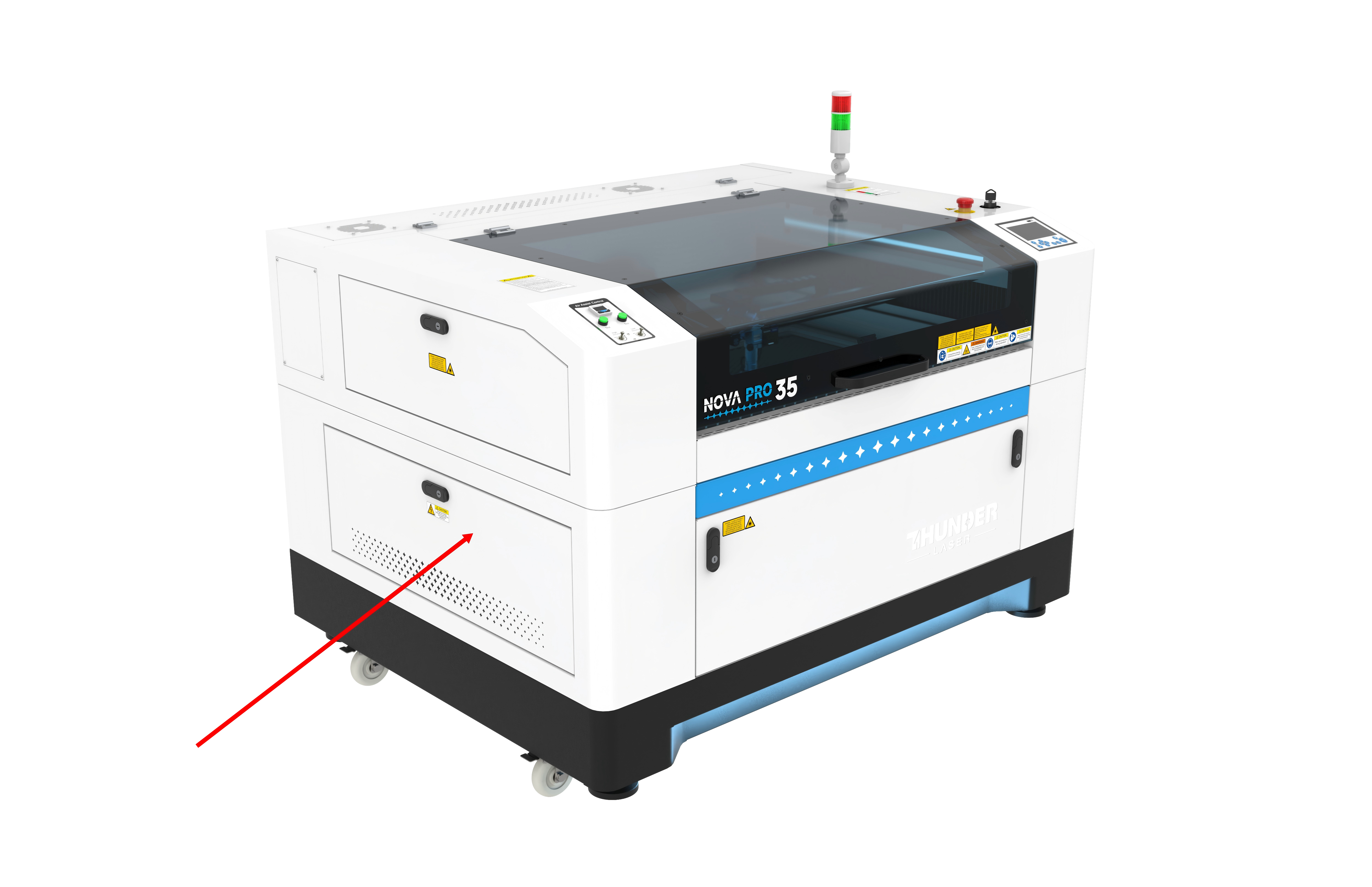
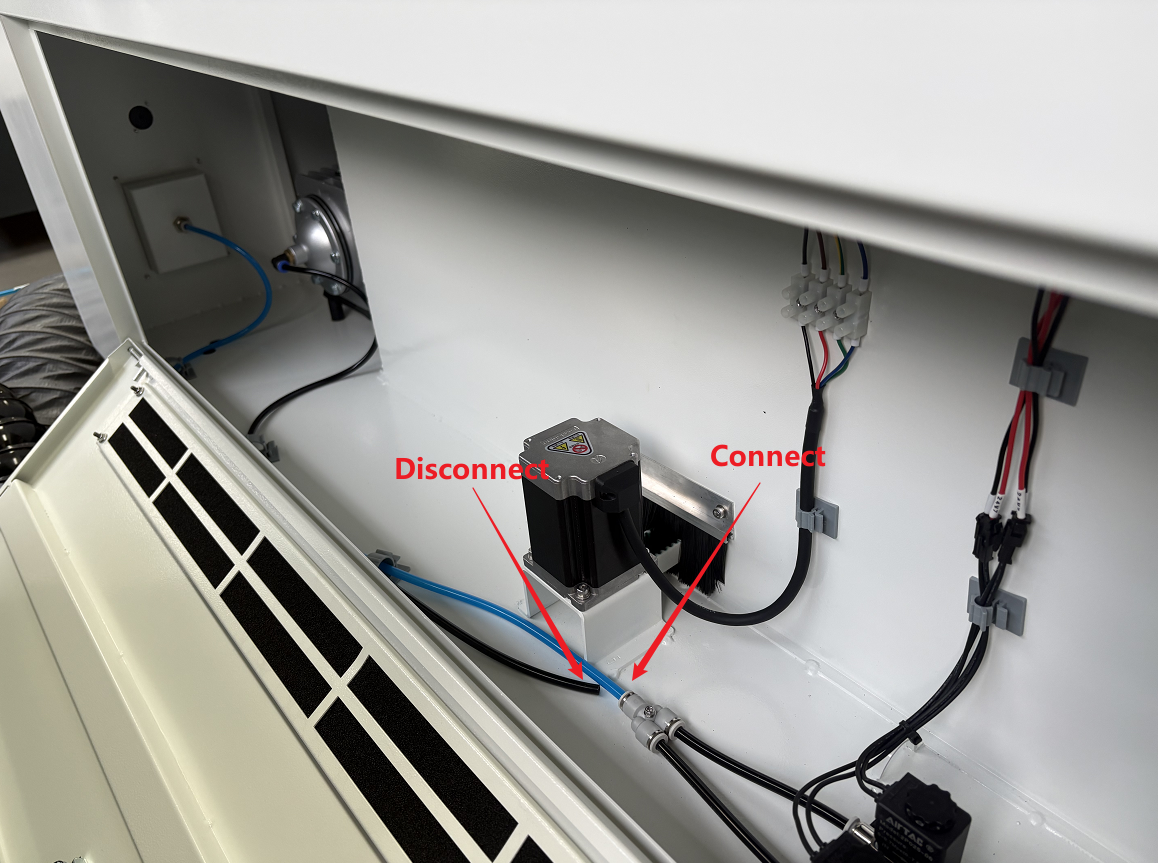
- Disconnect the built‑in air pump air pipe.
Step 1: Open the machine's left-side door. | Step 2: Disconnect the air pipe from the built-in air pump, then connect the blue air pipe. |
|
|
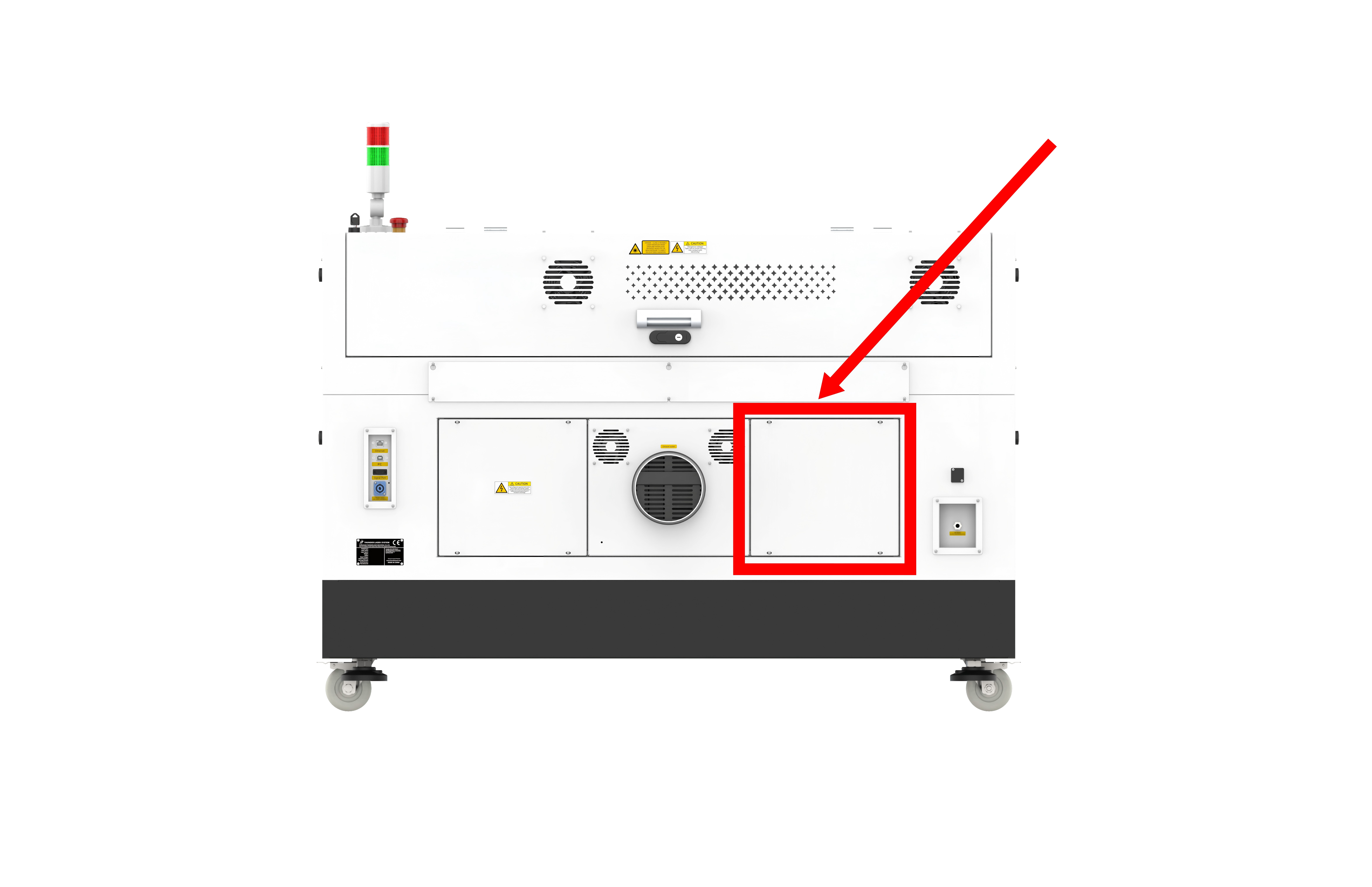
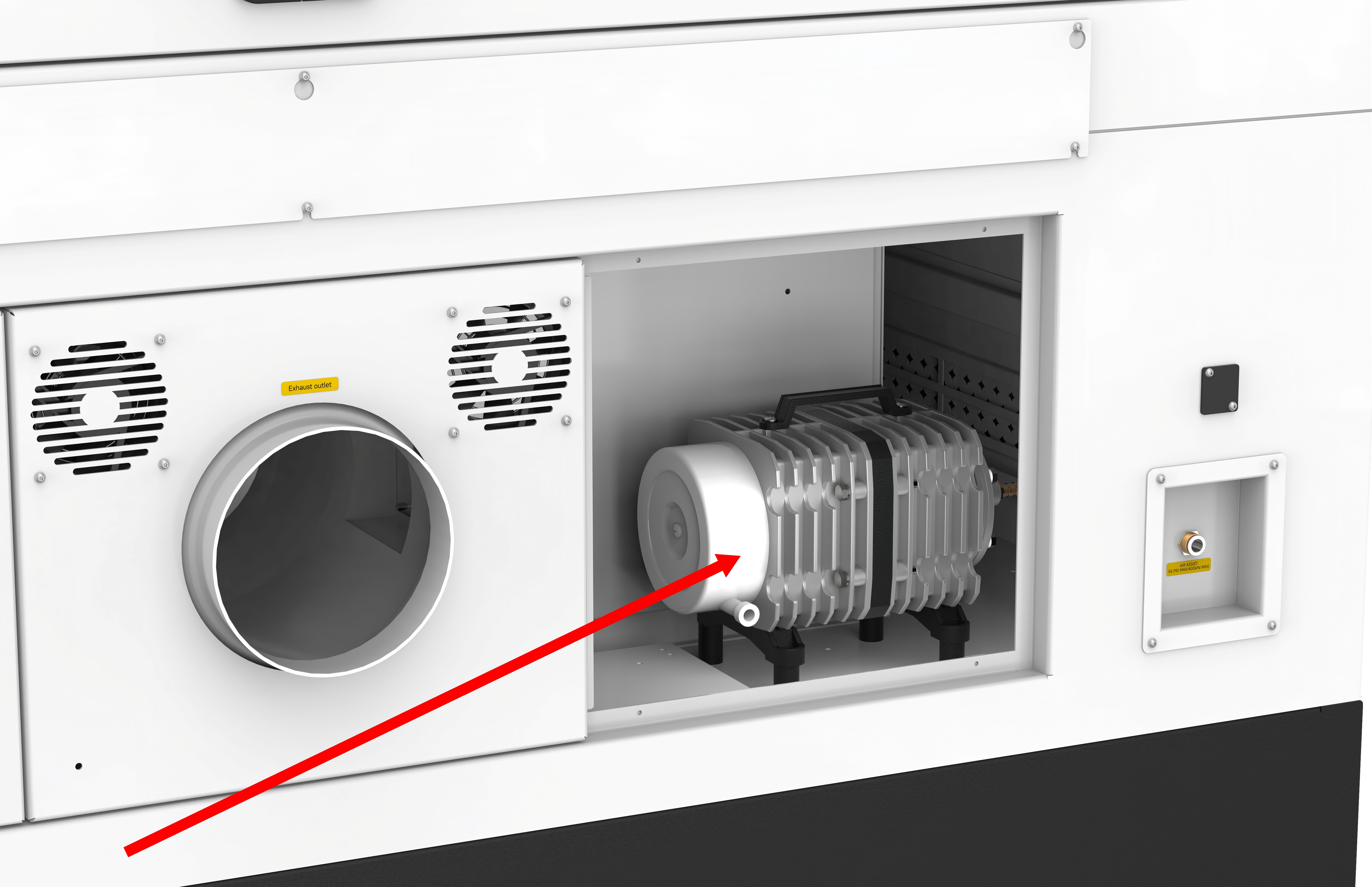
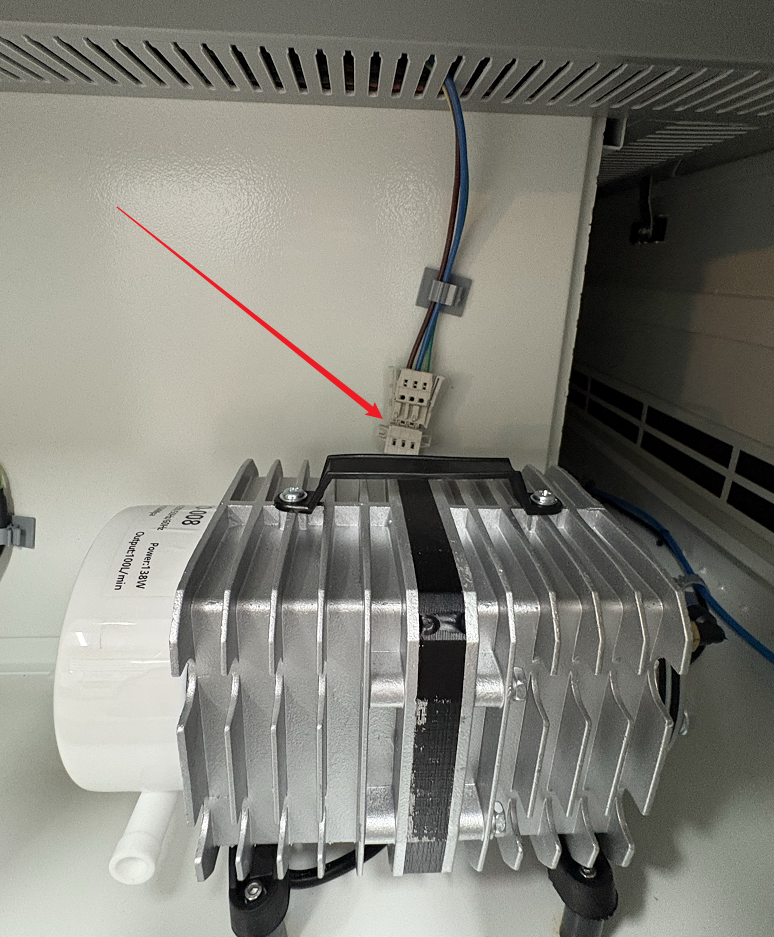
- Locate the power connector of the built-in air pump and disconnect it.
Step 1: Use an M3 screwdriver to loosen the four screws on the cover plate at the bottom right on the rear of the machine to access the built-in air pump. | Step 2: Disconnect the power connector from the air pump. |
|
|
- Connect the air compressor to the machine.
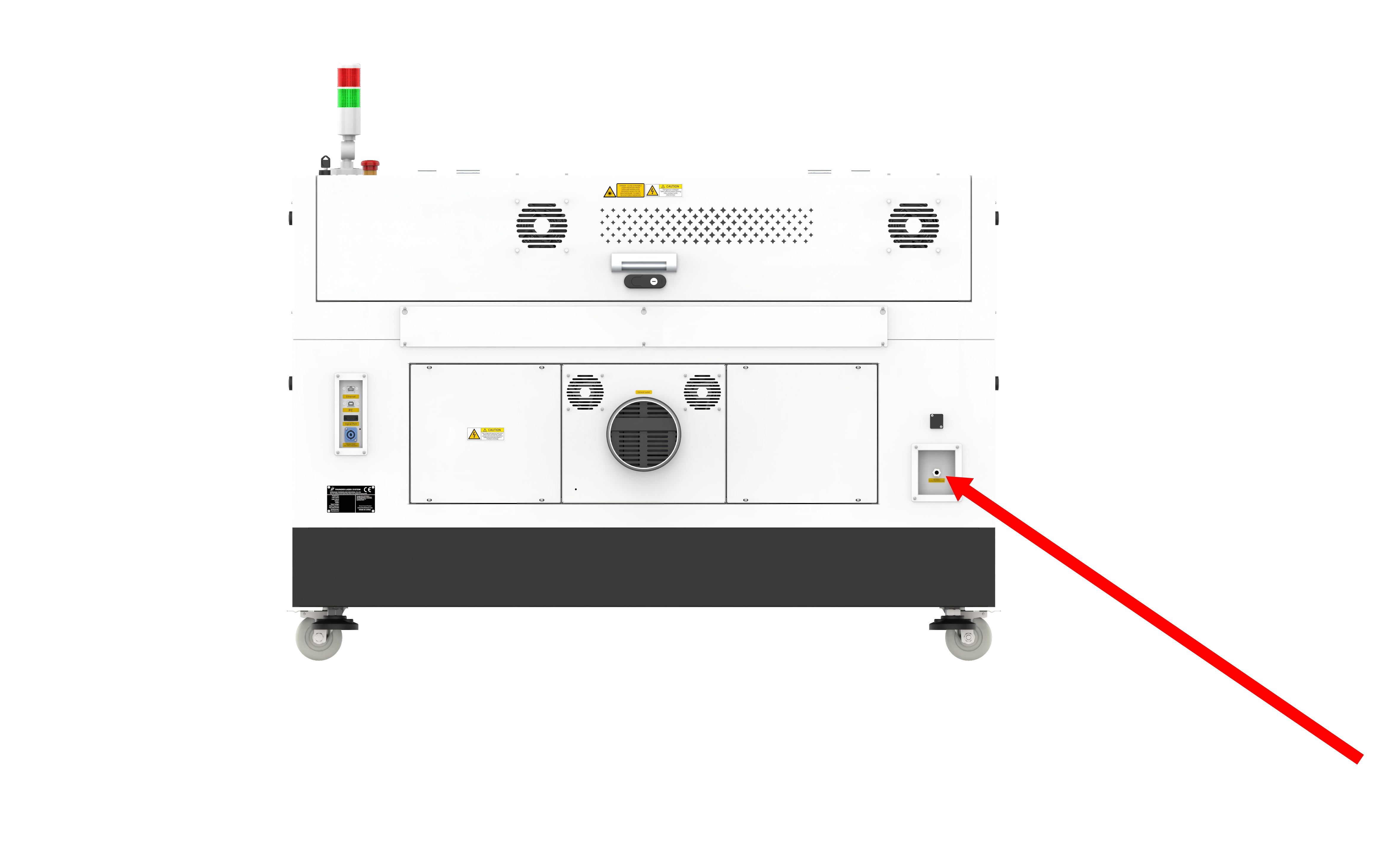
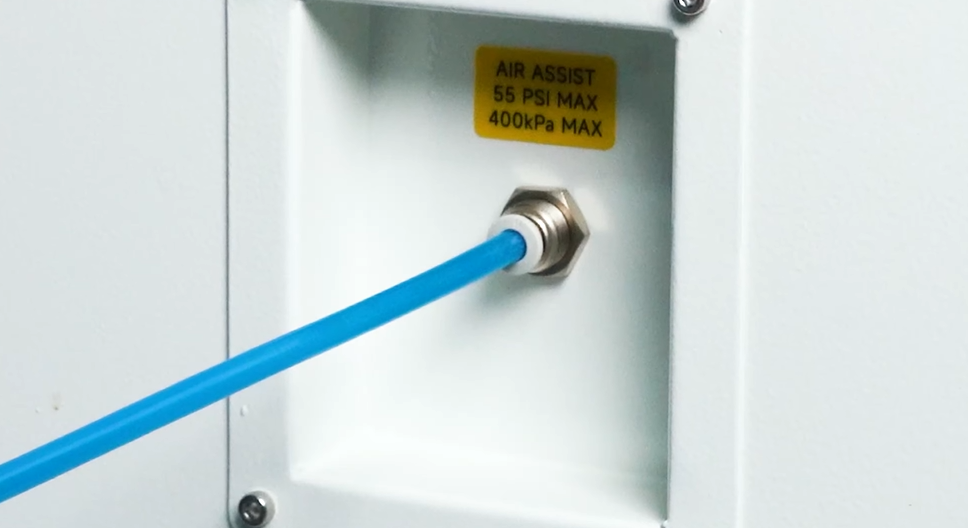
Step 1: Find the air assist port on the rear of the machine. | Step 2: Connect the other end of the air pipe from the air compressor to the port. |
| NOTE: Do not exceed the maximum pressure of 55 PSI (400 kPa). |
- Connect the power cord of the air compressor to an external power outlet to complete the setup.
Still need help?
For specific technical questions or help requests, please open a Ticket with picture or video, so our Support team can assist you ASAP.
For the information provided in the ticket, please refer to this link:
Help Tech Support Troubleshoot Faster
End.